


Designing a 2D floor plan using Google Sheets may not be the most conventional method for designing layouts, but it surprisingly combines ease of use with effective functionality. This approach allows you to sketch your layout without the need for pricey software solutions. So, what steps should you follow to create your floor plan?
Grasping the Essentials of 2D Floor Plans
The initial phase in creating your 2D floor plan is to recognize its components. A floor plan offers an overhead visual, typically to scale, that aids in planning the layout of spaces and furniture dimensions. You can think of it as a blueprint that ensures every inch of your area is utilized effectively.
Preparing Google Sheets for Floor Planning
1. Launch Google Sheets and create a new spreadsheet. To form your grid, resize the cells to square dimensions. A cell size of about 20 pixels by 20 pixels works well for clarity.
2. Implement borders to define different rooms or sections of your layout, which allows for organized space creation without unnecessary clutter.
Enhancing Details and Arranging Furniture
Once you've set up the basic grid, it's time to incorporate finer details.
1. Utilizing color coding for various rooms can facilitate a quick overview of your floor plan. Employ the fill color option to represent specific areas visually.
2. For positioning furniture, you can either use colored cells to indicate furniture sizes or insert images from your own collection. Though this approach may take more time, it provides a clearer view of how the space will operate.
Final Adjustments and Exporting Your Design
After finalizing your design, it’s crucial to verify all measurements to eliminate any errors. Once everything appears perfect, you can export your sheet as a PDF or image. This way, you can conveniently share your design with friends, clients, or colleagues in an easily accessible format.
Why Opt for Google Sheets for Your Floor Plans?
Despite not being a traditional design tool, Google Sheets is free, easy to collaborate on, and user-friendly. It proves to be extremely useful for simple layout designs without the need for extensive technical expertise.
Tips 1:
To enhance the functionality of your floor plan, consider adding interactive elements like dropdown menus or checkboxes. This feature allows users to effortlessly visualize various furniture arrangements, leading to a highly engaging experience.
Frequently Asked Questions
Q: Is Google Sheets suitable for intricate floor plans? A: While you can use Sheets for fundamental layouts, it may not suffice for detailed designs when compared to specialized design software like Homestyler.
Q: How do I share my Google Sheets floor plan? A: Just click on 'Share' at the upper right corner and either invite others through email or generate a shareable link.
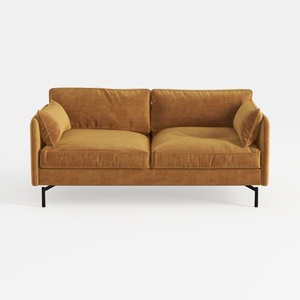
Corduroy High Resilience Sofa with 2 Pillows,57.9
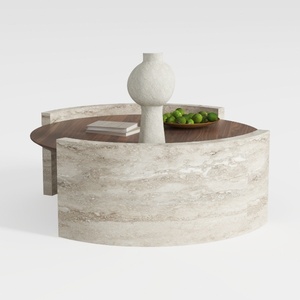
Round Coffee Table,29.52IN Wooden Coffee Table,Mid

LONYKE 2-Piece Boho Farmhouse Nesting Table with
Discover your home's potential with Homestyler! This user-friendly online platform offers a fantastic design tool, stunning 3D renderings, and a treasure trove of design projects and video tutorials. Whether you're a novice or a seasoned DIYer, bringing your vision to life has never been easier!
立即免费设计
































