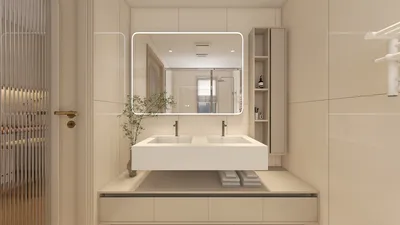


Low poly 3D print models stand out due to their geometric and facet-like appearance, which is achieved through the use of a minimal polygon count in the design process. This simplicity not only enhances their visual appeal but also makes them highly efficient for 3D printing, which is why they are widely embraced for creating figurines, planters, decorative items, and more. To create a low poly 3D print model, you can follow a structured approach involving several essential steps: modeling, optimizing, exporting, and preparing the file for printing. Here is a detailed guide to assist you in getting started with your design journey using Homestyler.
1. Select the Appropriate 3D Modeling Software
When it comes to software for low poly modeling, options like Blender, Tinkercad, SketchUp, and Fusion 360 are among the most popular. Blender shines for its array of powerful tools specifically aimed at polygon reduction and sculpting, making it an excellent choice for low poly design enthusiasts.
2. Design with Purposeful Simplicity
Start by defining the fundamental shape of your model using basic forms such as cubes, spheres, and cones. Maintain a straightforward mesh by restricting the number of faces while ensuring the object's recognizable silhouette is intact.
3. Implement Decimation or Polygon Reduction Techniques
If you’ve begun with a high-poly model, leverage your software's decimation or "polygon reduce" feature to decrease the polygon count. This process converts a detailed mesh into a low-poly variant while preserving the structure. In Blender, the Decimate modifier is particularly useful for this task.
4. Refine the Mesh
Inspect your model for any non-manifold edges and redundant vertices, eliminating overlapping faces where necessary. It's crucial to make sure all faces are watertight to prevent issues during the slicing and printing stages. Many modeling programs feature tools such as 'merge by distance' or 'remove doubles' for effective mesh cleanup.
5. Gear Up for 3D Printing
Position your model for the best printing orientation, and export it in a suitable 3D printable format, such as STL or OBJ. Within your slicer software, like Cura or PrusaSlicer, review the print preview, adjust scales if required, and check for any potential concerns, including overhangs or weak structural points.
Pro Tip:
From the viewpoint of a professional interior designer, low poly models can distinctly enhance modern or minimalist environments. When crafting custom decor items or architectural models, consider utilizing tools such as Homestyler, which allows you to seamlessly integrate your unique designs into spatial layouts, aiding in visualizing not just the item itself, but the overall equilibrium of your interior design.
Frequently Asked Questions
Q: What file format should I use to export my low poly models for 3D printing?
A: The STL format is the most widely accepted for 3D printers, although OBJ is also a reliable choice, especially if you wish to include color data in your model.
Q: Which software is ideal for novices aiming to create low poly models?
A: Tinkercad and SketchUp are very approachable for beginners, while Blender offers more advanced tools for those seeking to delve into low poly modeling.
Q: How can I prevent print failures with low poly models?
A: Make sure your mesh is watertight (with no holes), avoid overly thin details that may break, and utilize appropriate support structures in your slicer for overhangs.
Q: Is it possible to transition existing high-poly models to low poly for printing?
A: Absolutely, you can employ the decimation or polygon reduction capabilities found in Blender or MeshLab to simplify your mesh while maintaining its overall design.
Q: Are low poly 3D prints less durable than smooth models?
A: The unique geometric shapes might yield sharper edges that have a tendency to be more fragile. Ensure the wall thickness is at least 1–2 mm and choose sturdy printing settings as required.



Discover the ease of home design with Homestyler! This user-friendly online platform offers an innovative design tool, stunning 3D renderings, and a wealth of DIY video tutorials. Whether you're a novice or a pro, you’ll find endless inspiration and support to transform your space.
Desain sekarang Gratis
































