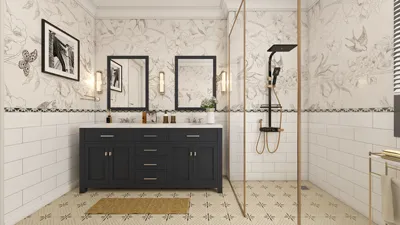


Crafting a 3D floor plan using Microsoft Visio allows you to transform your design concepts into a tangible visual. This guide will navigate you through the process of creating an eye-catching 3D floor plan, amplifying your design endeavors and unlocking your creativity to its fullest potential.
An Overview of Microsoft Visio
What exactly is Microsoft Visio? It is an adaptable diagramming application that empowers users to devise a myriad of diagrams, including floor plans, flowcharts, and organizational charts. With Visio, you can incorporate details like furniture, windows, and doors to accurately depict your vision.
Before you start crafting your 3D floor plan, it’s essential to get acquainted with the Visio interface. Familiarize yourself with the toolbox and the features dedicated to layout and shapes. Have you previously explored Visio, or is this your initial encounter with its functionalities?
How to Create a 3D Floor Plan
1. Configure Your Workspace: Launch Microsoft Visio and choose the suitable template for floor plans. This setup will prepare your workspace, facilitating a smoother design experience.
2. Outline Your Layout: Utilize the shape toolbox to sketch out walls, doors, and windows. Precision is key, so make sure to measure your space accurately. Have you taken the necessary measurements yet? If not, grab your tape measure before moving forward!
3. Incorporate 3D Elements: After establishing your basic floor plan, take advantage of Visio’s 3D capabilities to lend depth to your design. Insert 3D objects, such as furniture or structural components, while keeping scale and perspective in mind.
Strategies to Enrich Your 3D Floor Plan
To enhance your design further, keep these strategies in mind:
FAQs
Q: Is it possible to export my 3D floor plan from Visio? A: Absolutely! You can export your design in various formats, including PDFs and image files, allowing you to share it with others easily.
Q: Are there specialized features required for advanced 3D modeling? A: While Visio contains sufficient tools for most tasks, advanced 3D modeling might be more effectively handled by software that specializes in architectural design, like Homestyler.
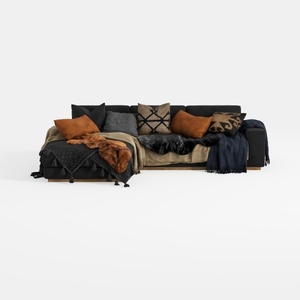
Txtin's U Shaped Sectional Couches for Living Room
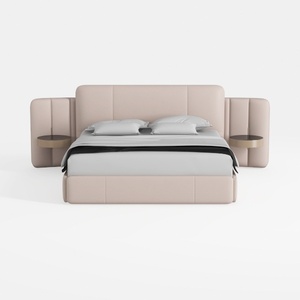
Meridian Furniture B1214Grey-K Vaughn Collection M
Homestyler is an outstanding online home design platform that empowers you to unleash your creativity. With its easy-to-use design tool, impressive 3D rendering features, diverse design projects, and helpful video tutorials, you can effortlessly create and visualize your dream spaces—whether you're a novice or a seasoned designer!
Progetta ora GRATIS
































