

Crafting a 3D representation of a volcano is an excellent project for educators, hobbyists, and students eager to explore the dynamic aspects of nature. This engaging activity not only improves comprehension of volcanic formations, lava movement, and tectonic interaction but also refines spatial awareness and design abilities. In this guide, we will guide you through each step, from collecting essential materials to applying finishing details, along with tips applicable for both physical and digital models utilizing Homestyler.
Step 1: Select Your Model Type
Begin by determining whether you wish to create a physical volcano model or a digital version. Physical models are perfect for interactive science experiments, like showcasing eruptions, while digital models can facilitate simulations and artistic presentations in educational contexts or interior design concepts.
Step 2: Gather Your Materials
If you’re crafting a physical 3D volcano model, you will require:
- Cardboard or a plastic bottle to form the base
- Papier-mâché, clay, or plaster for the surface structure
- Paints to represent various layers, including lava and ash
- Baking soda and vinegar for the eruption demonstration
For digital volcano models, consider utilizing 3D design software or rendering tools to create an authentic terrain and simulate volcanic eruptions.
Step 3: Construct the Structure
Commence by creating a conical shape with cardboard or an inverted bottle. Sculpt your volcano utilizing papier-mâché or clay, including a crater at the summit. Allow your artistic instincts to shape the ridges and lava channels, resembling genuine volcanic characteristics.
Step 4: Enhance Realism
After the base has dried, apply paint to your volcano model. Use reference images of actual volcanoes for accurate lava hues, ash accumulation, and surrounding vegetation. When working on digital models, take advantage of 3D platforms like Homestyler to incorporate textures and depth for greater realism and interactivity.
Step 5: (Optional) Simulate an Eruption
Combine baking soda with red food coloring within the crater. When you are ready to display, add vinegar for an exciting, safe bubbling eruption that people of all ages will find thrilling!
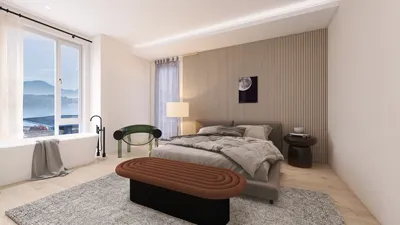
As a designer, I recognize the importance of applying these modeling skills to practical scenarios. For those who have a zeal for interior spaces, employing digital tools for 3D modeling extends beyond geology. These same skills can be applied to visualize concepts—such as crafting a true-to-life 3D render of a living environment—making the visualization process smoother for both clients and personal projects through platforms like Homestyler.
Tips 1:
If you want to elevate your digital modeling abilities, particularly for interior and architectural designs, think about integrating sophisticated 3D rendering platforms. These resources can not only bring creative ideas to fruition but also enhance workflow efficiency for both professionals and hobbyists.
FAQ
Q: What are the ideal materials for a physical 3D volcano model?
A: Materials such as papier-mâché, clay, or plaster work best for molding, supported by a foundation made from cardboard or a plastic bottle for structure.
Q: Is it possible to create a volcano model digitally?
A: Certainly! Utilize 3D modeling or rendering tools designed for landscape and terrain creation to produce realistic representations of volcanoes.
Q: How can I simulate an eruption in my model?
A: For physical models, a mixture of baking soda, red food coloring, and vinegar results in a safe and realistic eruption effect.
Q: What educational advantages does this project provide?
A: Constructing a 3D volcano model enhances knowledge of geological processes, boosts spatial reasoning, and fosters hands-on creativity.
Q: How can interior designers benefit from 3D modeling skills?
A: Mastery of 3D modeling is crucial for visualizing layouts, planning renovations, and showcasing projects to clients with vibrant, interactive presentations.


Looking to transform your space? Homestyler is your go-to online home design tool! Enjoy stunning 3D renderings, a wealth of design projects, and helpful DIY video tutorials. It's user-friendly, making it easy for anyone to create their dream home effortlessly.
تصميم الآن مجانا
































