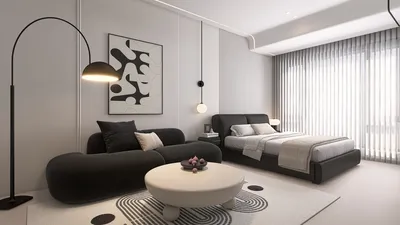


In the realm of architectural rendering, the choice of background is pivotal in establishing the atmosphere and context of your home render. An appropriate background not only boosts the visual attractiveness but also gives a realistic sense of how the home integrates into its surroundings. Below are critical tips for crafting striking architectural rendering backgrounds that enhance your designs, especially when utilizing tools like Homestyler.
Selecting the Ideal Background
To produce an engaging architectural render, picking the ideal background is essential. Keep the following factors in mind:
Consider the geographic location of your house. Is it situated in an urban, suburban, or rural area? The background should mirror the surrounding environment to foster a sense of place.
The background's lighting must correspond to the time of day and the mood you wish to express. Whether depicting a vibrant sunny day or a tranquil sunset, the right lighting can significantly influence the overall ambiance of the render.
The background’s color palette should harmonize with the house's colors. A complementary color scheme will enhance the visual appeal of your render.
Incorporating Natural Elements
Introducing natural elements can significantly boost the realism of your architectural render.
Include trees, shrubs, and flowers that are indigenous to the region. This not only adds depth but also places the house accurately within its landscape.
If relevant, incorporating a pond, lake, or river can create a tranquil ambiance and elevate the aesthetic of the render.
A skillfully rendered sky can elevate your image. Think about integrating clouds, birds, or even a sunset to add intrigue to your background.
Leveraging Technology for Backgrounds
Today’s technology provides an array of tools and methods for crafting impressive backgrounds for your home renders.
Employ 3D models of trees, buildings, and other landscape elements to design a dynamic background. Many rendering platforms, such as Homestyler, offer libraries stocked with these assets.
Combining high-quality photographs with your render can yield realistic outcomes. Make sure to adjust colors and lighting in post-processing for consistency.
Frequently Asked Questions
Q: How do I select the most suitable background for my architectural render? A: Take into account the context of the house, the intended mood, and the color palette to choose an appropriate background.
Q: Can I incorporate photos for my rendering background? A: Absolutely, using quality photos can boost realism, but ensure that the lighting and colors are adjusted to align with your render.
Q: What software can assist me in creating architectural renders with backgrounds? A: Notable software options include SketchUp, Lumion, and V-Ray, which offer effective tools for background integration.
Originally incubated at Autodesk, Homestyler has grown into one of the most widely adopted home design platforms in the world, now trusted by over 18 million users. Whether you're a homeowner exploring ideas or a professional designer delivering client-ready renders, Homestyler brings industry-leading 3D technology to your fingertips — no experience required.
Discover the power of Homestyler, an excellent home design software for all your rendering needs.
Projete agora para LIVRE
































