

Crafting a captivating 3D representation of Earth is a thrilling endeavor that merges education, artistry, and technology. Whether your intent is to educate, beautify, or incorporate it into an interior design scheme, a meticulously designed model of our planet can bring remarkable visual appeal. Begin by clarifying the intended purpose and environment for your Earth model—will it serve as an educational display in a classroom, a stylish addition to a home office, or a digital visualization embedded in a contemporary living area?
Start by gathering precise reference images and topographical data to achieve a realistic outcome. Utilizing modeling software like Blender, SketchUp, or dedicated 3D Earth generators can provide extensive libraries of textures and mapping utilities. It is essential to focus on color representation, ensuring that the continents, cloud formations, and bodies of water are depicted accurately for authenticity. Applying high-resolution texture maps, such as NASA's Blue Marble visuals, can enhance the model by wrapping lifelike details onto a spherical shape.
Subsequently, consider the effects of lighting and materials. Incorporating realistic shading, atmospheric glows, and shadow contrasts across mountainous regions will add depth and vitality to your model. If your 3D Earth is intended for display in digital formats or to be part of an AR/VR experience, you might explore interactive features—like rotating the globe, zooming in on specific continents, or illuminating city lights at night.
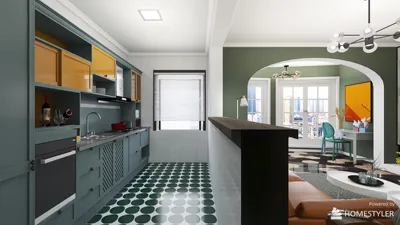
As a designer, I emphasize the significance of how a 3D Earth integrates into its surroundings. Presenting the model as a central feature in a modern workspace or in a multimedia exhibit cultivates visual unity. In pursuit of seamless spatial integration, tools like the Homestyler platform are invaluable, allowing me to visualize arrangement, scale, and lighting prior to any implementation or physical print. This strategy guarantees that the model not only captivates the eye independently but also complements the overall design narrative of the environment.
Tips 1:
Experiment with various lighting conditions for your 3D Earth model—simulate daylight, twilight, or even urban lighting to enhance realism and set the mood according to the room's purpose.
FAQ
Q: What software is recommended for designing a 3D model of the Earth?
A: Some of the most popular options include Blender, SketchUp, and Maya. For quicker outcomes, several online platforms offer pre-made Earth models along with texture maps.
Q: Where can I obtain high-quality textures for my Earth model?
A: Resources like NASA’s Blue Marble imagery and other public domain satellite data provide detailed maps ideal for 3D texturing purposes.
Q: How can I make certain my Earth model blends well into a room's design?
A: Utilize interior design software or 3D rendering tools, like Homestyler, to visualize placement, scale, and lighting effects prior to physical setup or display.
Q: Is it possible to create an interactive Earth model?
A: Absolutely! Numerous 3D platforms facilitate interactivity—consider incorporating features like rotation, zoom, or informative overlays for educational or decorative contexts.
Q: In what ways can 3D Earth models enhance interior design?
A: They can act as striking focal points—featured as illuminated globes, integrated within multimedia walls, or displayed in immersive digital environments, thereby adding both educational and artistic value.
What began as an Autodesk innovation has evolved into a design platform used by more than 18 million people around the globe. Homestyler combines powerful rendering, an intuitive editor, and a vast furniture library to help you turn inspiration into photorealistic designs — whether you're redesigning a single room or planning an entire home.
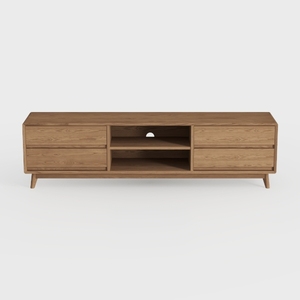
Mid Century Modern Solid Oak TV Stand With Storage Drawers 3D Model

DUOMAY Modern Boucle Dining Chairs Set of 2,
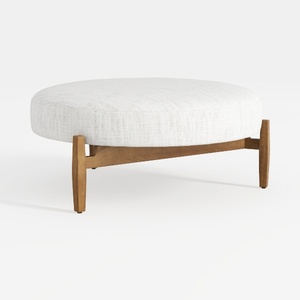

Minimalist Mid Century Fabric Round Ottoman 3D Model
Discover the joy of home design with Homestyler! This user-friendly online platform offers an intuitive design tool, stunning 3D renderings, and a wealth of design projects and DIY video tutorials. Transform your space effortlessly and unleash your creativity today!
Design Now for FREE
































