Multi-Functional Open-Plan Living Space Design
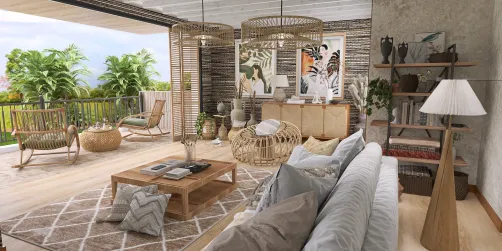
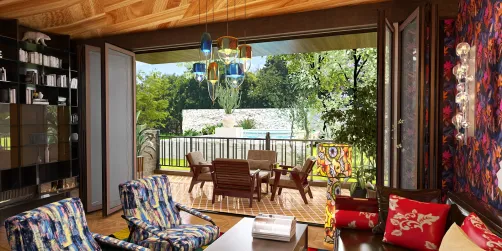
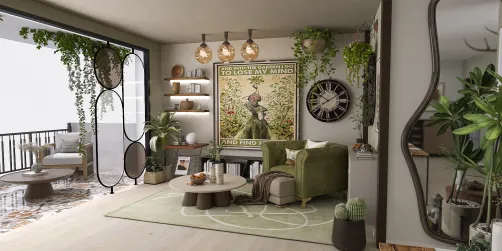
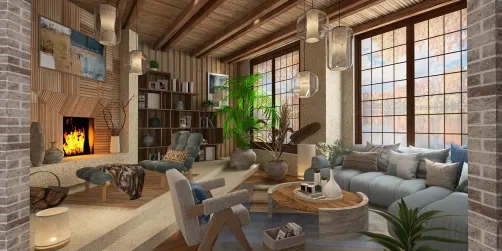
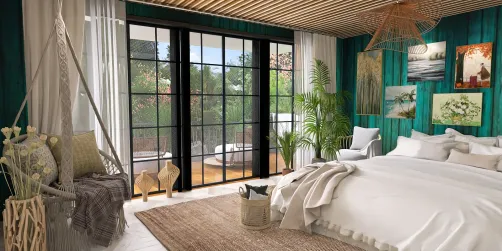
The 'Weekly Room for App-Futurist Space Room and Garden View Room' competition centers on two newly released room templates: the Futurist Space Room (emphasizing sleek, tech-integrated minimalism) and the Garden View Room (highlighting biophilic connections, natural light, and organic warmth). Across all top-winning and popular entries — from Z 10’s award-winning 'Cozy Bohemian' to Larissa 🪄’s 'comfy home 🤍' and Crystal Clear’s '.GardenHome.' — a unifying spatial concept emerges: the multi-functional open-plan living space. This is not merely a living room, kitchen, or dining zone in isolation; it’s a fluid, human-centered continuum where cooking, dining, relaxing, socializing, and even remote working coexist harmoniously within one intelligently zoned environment. Designers leverage Homestyler AI design tools to unify materials, lighting layers, and furniture scale across this integrated footprint — turning constraints like compact urban apartments into strengths through strategic indoor space planning.
Design Challenges & Common Pitfalls
Designing a successful multi-functional open-plan living space presents distinct challenges: (1) Visual clutter and lack of spatial hierarchy — without walls, zones can feel chaotic or undefined; (2) Acoustic bleed — noise from cooking or media disrupts quiet activities like reading or video calls; (3) Lighting uniformity — flat, overhead-only illumination fails to support diverse tasks and moods; (4) Scale mismatch — oversized furniture overwhelms small footprints, while undersized pieces make large rooms feel barren; and (5) Overlooking transition logic — poor circulation paths between kitchen, dining, and lounge areas hinder daily flow. These issues directly impact interior space planning effectiveness and user well-being — making intentional zoning, layered lighting, and ergonomic layout sequencing essential, not optional.
✅ Prioritize Zoning Through Furniture & Material Language
Rather than relying on partitions, top designers define functional zones using strategic furniture groupings (e.g., a rug + sofa + pendant cluster for lounge; an island + barstools + under-cabinet lighting for kitchen-dining), consistent material palettes (e.g., warm oak flooring throughout with differentiated surface finishes), and subtle ceiling treatments (like recessed lighting grids aligned per zone). This creates visual continuity while reinforcing purpose — a core Homestyler design technique that supports intuitive interior space planning.

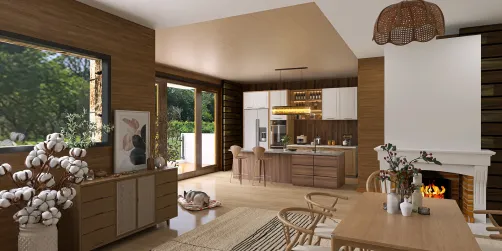
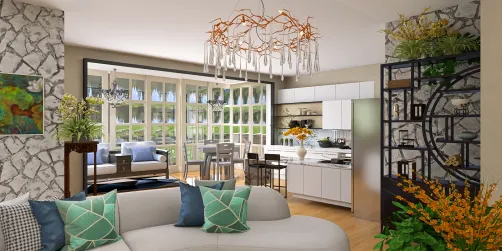
framsammy’s 'kitchen/dining/living space' masterfully applies this principle: a linear kitchen counter anchors one side, a centered dining table defines the middle zone, and a low-profile sofa + textured rug completes the lounge end — all unified by matte white cabinetry, light oak flooring, and coordinated pendant lighting. Using Homestyler AI, framsammy maintained consistent scale and material mapping across models (31 total), ensuring spatial cohesion without physical walls — a textbook example of intelligent interior space planning.
Start Free Design💡 Layer Lighting for Task, Ambient & Accent Functions
Effective lighting design in open-plan spaces requires three overlapping layers: (1) Ambient — general illumination (e.g., recessed ceiling lights or linear coves); (2) Task — focused light for specific activities (e.g., under-cabinet LEDs for food prep, adjustable floor lamps for reading); and (3) Accent — directional or decorative light to highlight art, textures, or architectural features (e.g., wall washers on a gallery wall or spotlights on a statement plant). Homestyler AI’s real-time lighting simulation helps preview how these layers interact — critical for avoiding glare, shadows, or mood-deadening uniformity.

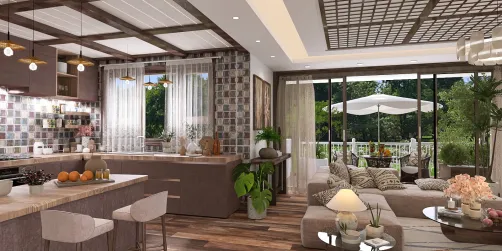
Joanne M 🐾💜🐾🖤’s 'A Cozy Kitchen Retreat' exemplifies layered lighting: recessed ceiling spots provide ambient glow; a trio of black metal pendants over the island deliver task-focused brightness; warm LED strips beneath upper cabinets add soft task illumination; and a sculptural floor lamp beside the lounge chair introduces accent warmth. With only 6 models, Joanne used Homestyler AI’s lighting presets and custom intensity sliders to fine-tune each layer — proving that high-impact Homestyler design techniques don’t require complexity, just intentionality.
Begin Free Design🌱 Integrate Biophilic Elements Strategically — Not Decoratively
Biophilic design goes beyond placing a single potted plant. In open-plan spaces, it means embedding nature through multiple sensory channels: visual (living green walls, framed garden views, natural material textures), thermal (cross-ventilation cues, tactile wood/metal contrasts), auditory (water feature sounds or acoustic dampening with organic fibers), and even olfactory (natural wood finishes or herb gardens near kitchen zones). Top entrants use Homestyler AI’s texture library and window view customization (especially vital for the 'Garden View Room' template) to root the space in nature — enhancing calm and cognitive restoration without sacrificing modern aesthetics.

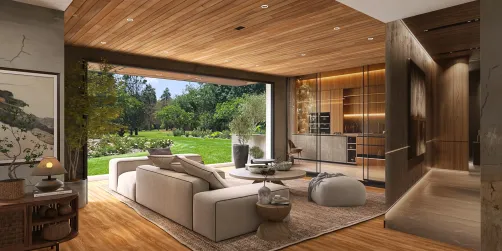
Crystal Clear’s '.GardenHome.' leverages the 'Garden View Room' template to its fullest: expansive glazing frames real outdoor greenery (simulated via Homestyler’s garden view tool), cascading pothos hang from ceiling-mounted planters, a live-edge wooden shelf displays culinary herbs, and linen textiles + terracotta accents reinforce earthy tactility. With 54 models, Crystal Clear used Homestyler AI to iterate window placements and foliage density — transforming biophilia from decoration into foundational interior space planning.
Launch Free DesignFAQ
Q: Do I need professional 3D modeling skills to participate in the Weekly Room competition?
Not at all. Homestyler AI is built for beginners and pros alike — its drag-and-drop interface, smart object snapping, and one-click style transfers let you focus on interior space planning and creative vision, not technical rendering.
Q: Can I mix elements from both the 'Futurist Space Room' and 'Garden View Room' templates in one design?
No. Per official rules, entries must use *only one* of the two specified templates — either Futurist Space Room *or* Garden View Room — to ensure fair judging and thematic coherence.
Q: How does Homestyler AI help optimize small-footprint open-plan layouts?
Homestyler AI offers real-time spatial analytics: automatic clearance checks, furniture scale previews, sunlight path simulations (critical for garden-facing rooms), and traffic-flow heatmaps — empowering smarter interior space planning decisions before a single model is placed.
Q: Are there recommended Homestyler design techniques for improving natural light distribution in open-plan spaces?
Yes. Use reflective surfaces (glossy cabinets, mirrored backsplashes), light-colored ceilings, strategically placed skylights or clerestory windows (via Homestyler’s window editor), and avoid tall furniture blocking light paths. The app’s daylight simulation mode lets you test hourly sun angles — a powerful Homestyler design technique for maximizing luminosity.

Natural Rattan Woven Square Ottoman 3D Model
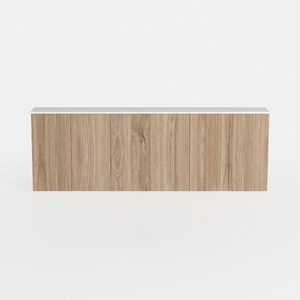
Minimalist Solid Oak Wood Wall Mounted Cabinet 3D Model

Minimalist Brown Leather L-shaped Sectional Sofa 3D Model
Homestyler offers a user-friendly online design tool with stunning 3D renderings, a vast collection of interior projects, and helpful DIY video tutorials—making it easy and fun to create your perfect home design from start to finish.
Design Now for FREE