Multi-generational Living Room Design
The multi-generational living room is a dynamic, emotionally resonant interior space designed to serve three or more age groups—children, adults, and seniors—within a single shared environment. Unlike conventional living rooms, this scene prioritizes functional flexibility, sensory inclusivity, and emotional harmony. It must accommodate diverse physical needs (e.g., mobility support for elders, safety for toddlers), behavioral rhythms (e.g., quiet zones for rest vs. active zones for play), and social preferences (e.g., open gathering areas alongside semi-private nooks). Rooted in real-world constraints—rising urban density, shrinking square footage, and evolving family structures—this design scenario demands intelligent indoor space planning that balances togetherness with autonomy, aesthetics with accessibility, and permanence with adaptability.
Design Challenges & Common Pitfalls
Designing for multiple generations introduces layered complexities: conflicting spatial requirements (e.g., low furniture for kids vs. raised seating for seniors), acoustic interference across activity zones, visual clutter from overlapping functional objects, and accessibility oversights (e.g., thresholds, lighting contrast, reach ranges). A frequent mistake is applying a 'one-size-fits-all' aesthetic—prioritizing style over ergonomics—or treating the space as merely 'larger', rather than 'smarter'. Poor indoor space planning often results in compromised circulation paths, inadequate storage for age-specific items (toys, medical aids, tech), and diminished natural light distribution—undermining both safety and psychological comfort.
✅ Prioritize Universal Accessibility & Seamless Flow
Universal design ensures the living room is safe, intuitive, and usable by people of all ages and abilities—without adaptation or specialized design. This means eliminating level changes, specifying slip-resistant flooring, installing lever-style handles, placing switches at 90–120 cm height, and ensuring clear pathways ≥90 cm wide. Furniture layouts should avoid bottlenecks and allow wheelchair or walker navigation while preserving visual openness. Homestyler Design Tips: Use Homestyler’s AI-powered measurement tools and real-time 3D collision detection to simulate movement paths for different users—test walking, sitting, and reaching scenarios before finalizing layout.

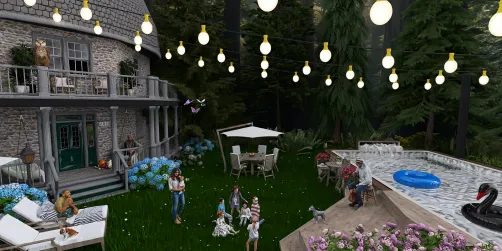
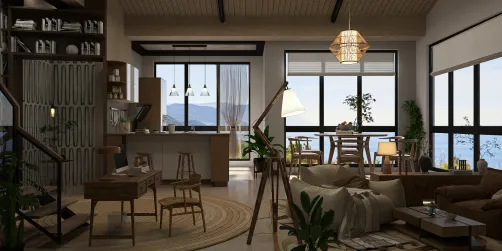
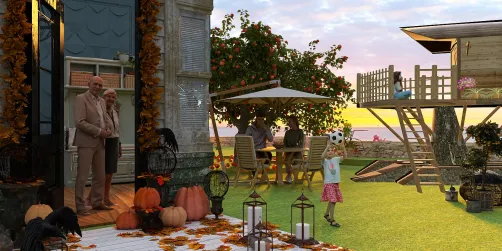
Designer ✨️ emmy pooh✨️’s 'Serenity : Family Edition' exemplifies universal flow through its seamless indoor–outdoor transition and unobstructed ground-level patio access—ideal for strollers, walkers, and barefoot children. Using Homestyler AI design tools, she simulated daylight penetration and traffic patterns across generational use cases, optimizing door swing directions and furniture setbacks to maintain continuous, barrier-free circulation—proving that elegance and accessibility coexist when indoor space planning is rooted in empathy and precision.
Start Free Design✅ Layer Zones for Purposeful Togetherness & Respectful Privacy
Rather than one monolithic zone, the multi-generational living room thrives on intentional layering: a central social hub (e.g., sofa cluster + media wall), adjacent activity niches (reading nook, play mat zone, tea station), and transitional buffers (rugs, low shelving, greenery). Each sub-zone should offer acoustic softness, visual definition, and functional autonomy—enabling simultaneous yet non-intrusive activities. Homestyler Design Tips: Leverage Homestyler’s AI-driven zone tagging and material acoustics preview to test sound absorption values of rugs, curtains, and upholstery—ensuring toddler giggles don’t interrupt elder conversations.

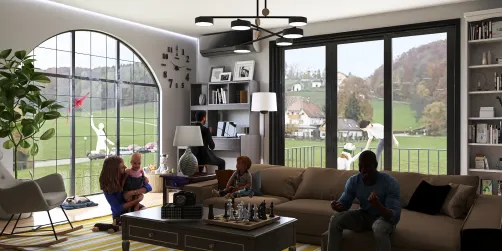
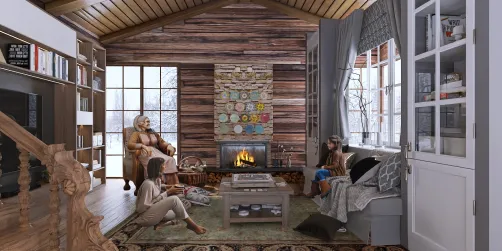
Sandra 🇷🇸 Andjelkovic’s 'Take care your parents(While you have them)' masterfully layers zones using low-profile modular sofas, floating shelves as visual dividers, and a sunlit reading corner separated by a textured rug—all modeled precisely in Homestyler. She used the app’s AI-generated lighting simulation to verify glare-free task lighting for elders’ reading and ambient warmth for children’s floor play, demonstrating how Homestyler Design Tips empower designers to orchestrate multi-purpose harmony without sacrificing individual dignity or comfort.
Begin Your Free Design✅ Integrate Adaptive & Age-Aware Furnishings
Furniture must be functionally adaptive—not just aesthetically cohesive. Think height-adjustable coffee tables, ottomans with hidden storage for toys or mobility aids, power-reclining sofas with easy-rise mechanisms, and child-safe rounded edges paired with senior-friendly armrest heights (65–70 cm). Materials should prioritize durability, cleanability, and tactile comfort (e.g., antimicrobial fabrics, non-slip wood finishes). Homestyler Design Tips: Filter Homestyler’s 3D model library by 'accessibility', 'low-height', or 'multi-functional' tags—and use AI auto-placement to validate clearances around key furniture pieces against ADA and EN 12529 standards.

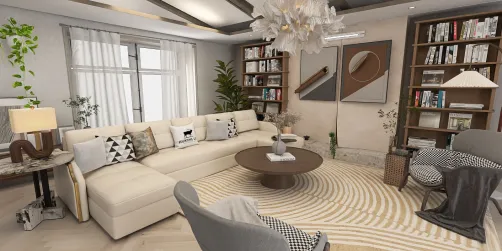
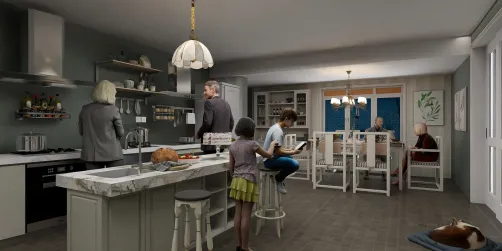
Dawn Keller’s design—though centered on kitchen-living integration—uses Homestyler to specify an extendable island table that transforms from toddler-height craft station to adult-height dining surface, and barstools with back support and footrests suitable for both teens and grandparents. Her use of Homestyler AI design tools to preview real-time scale, proportion, and material interaction proves how adaptive furnishings become achievable—not aspirational—when guided by precise indoor space planning and intelligent software validation.
Launch Free DesignFAQ
Q: How can I ensure my multi-generational living room passes accessibility checks without hiring a specialist?
A: Homestyler includes built-in accessibility guidelines—such as minimum doorway width (80 cm), recommended seating height (43–48 cm), and optimal lighting lux levels (300+ for reading)—directly in its AI design assistant. Run the ‘Accessibility Audit’ tool after layout completion to receive instant, actionable feedback on compliance gaps—making professional-grade indoor space planning accessible to every designer.
Q: Is it possible to design for both toddlers and seniors in the same color scheme without causing visual confusion or sensory overload?
A: Yes—opt for a calm, high-contrast base palette (e.g., warm greige walls + charcoal trim) to support elder visual acuity, then layer in age-neutral accent textures (woven baskets, matte ceramic vases, soft linen throws) instead of bright primary colors. Homestyler Design Tips: Use the app’s AI color harmony analyzer to preview how your palette performs under different lighting conditions and screen simulations—ensuring clarity for aging eyes and soothing stimulation for developing ones.
Q: With limited square footage, how do I fit storage for toys, medical devices, and adult entertainment without making the room feel cluttered?
A: Prioritize vertical, concealed, and dual-purpose storage: wall-mounted cabinets with soft-close doors (for elder safety), ottomans with lift-up lids (for toys or walking canes), and media consoles with adjustable shelves (for books, tablets, and hearing aid chargers). Homestyler’s AI-powered space optimization suggests ideal cabinet depths and pull-out clearances—turning compact indoor space planning into an elegant, integrated system.



Homestyler is an easy-to-use online home design platform offering powerful 3D rendering, a vast collection of design projects, and helpful DIY video tutorials. It’s perfect for bringing your interior design ideas to life with creativity and confidence.
지금 무료로 디자인하세요