


Star Trek Online stands out as a renowned MMORPG, boasting a vast universe replete with meticulously crafted starships, environments, and props. This intricate design piques the interest of many fans and designers who seek to export or 'capture' 3D models from the game. Whether it's for fan art, virtual dioramas, or intensive design studies, this process revolves around extracting 3D assets embedded within the game's files, typically formatted in proprietary styles. To convert these into usable formats such as .OBJ or .FBX, one often turns to third-party utilities like Noesis, Blender plugins, or tailored scripts from dedicated modding communities. It’s crucial to underline the importance of respecting intellectual property rights: while extracted models can be enjoyed for personal and non-commercial purposes, any distribution or commercial use requires proper licensing. For designers, analyzing these 3D models reveals profound insights into the art of cinematic sci-fi design, exploring how surface detailing, form language, and proportion can effectively communicate both functionality and narrative. Moreover, this exploration grants opportunities to experiment with lighting, materials, and context; even integrating starship models into actual interior design concepts. With the advancements in visualization and planning software, game-derived assets can be seamlessly paired with platforms like Homestyler, promoting dynamic rendering, tailored environments, and immersive VR walkthroughs. If you’re aiming to capture models, consider the following steps: 1. Examine the game's directory—assets are often embedded within data archives (.hogg, .pak, etc.). 2. Utilize asset viewers (such as NinjaRipper or GARbro) or extraction scripts suitable for proprietary formats. 3. Import these models into Blender or similar modeling tools for refinement, validation, and conversion. 4. Render or reapply with 3D visualization platforms, ensuring adherence to copyright guidelines.
Recommendations
Always remember to back up the original game files before any extraction or modifications. Engaging with active modding forums can provide access to updated tools and format compatibilities, helping you leverage the community's expertise to save time and prevent file corruption. Additionally, it's beneficial to analyze both the mesh and textures, as Star Trek Online incorporates intricate material layering and normal mapping techniques that can be challenging to extract accurately and implement in different settings.
Frequently Asked Questions (FAQ)
Q: Is it permissible to extract 3D models from Star Trek Online?
A: Extraction for personal, non-commercial use is generally accepted, however, redistributing or using them commercially infringes upon copyright laws.
Q: What tools are recommended for model extraction?
A: Widely utilized tools include NinjaRipper, GARbro, and Blender plugins, each catering to various formats based on the game engine.
Q: Can I utilize captured models in other video games or VR platforms?
A: Yes, provided you respect copyright and often, the meshes will need optimization while textures may require conversion for compatibility.
Q: What aspects should I consider when modifying extracted meshes?
A: It's essential to verify for absent textures, check for non-manifold geometry, and maintain appropriate scaling—models from Star Trek Online may necessitate adjustments for greater realism.
Q: Are there alternatives to model extraction for design inspiration?
A: Certainly! Numerous official studio assets are accessible for licensed usage, and employing professional visualization tools enables design with either custom or pre-existing sci-fi assets for interior renderings and conceptual projects.
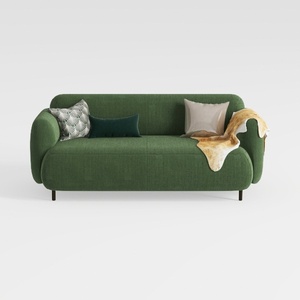

Minimalist Dark Green Fabric Loveseat Sofa with Decorative Pillows 3D Model

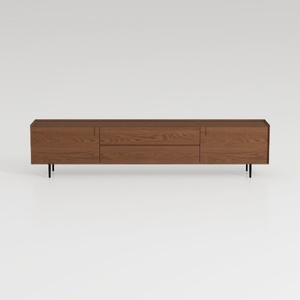
Nov Trending Search Model-TV Stand 20
Homestyler is your go-to online home design platform, perfect for transforming your space! With its user-friendly design tool, stunning 3D renderings, and a wealth of design projects and DIY video tutorials, creating your dream home has never been easier. Unleash your creativity today!
立即免费设计
































