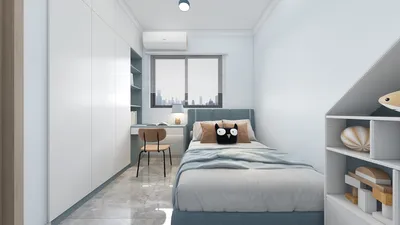


Branding your 3D models is essential for establishing a robust digital identity, which enhances both recognition and marketing capabilities. Whether you're crafting prototypes or digital artwork, a well-branded 3D model effectively communicates your unique identity. This guide will walk you through the process of seamlessly integrating branding into your 3D creations using Homestyler as a powerful tool.
Clarifying Your Branding Objectives
Begin by identifying the core aspects of your brand that you want to express through your 3D models. This can involve elements like your logo, color palette, and key messaging. It’s crucial to understand your target audience's preferences and ensure your branding resonates with their expectations and desires.
Once you have your branding objectives defined, gather essential materials such as logos, color codes, and font selections. These elements are vital for creating a cohesive brand identity across diverse platforms.
Choosing the Right Software
The selection of software plays a crucial role in how effectively you can integrate branding into your 3D models. Applications like Blender, SketchUp, and Autodesk Maya offer unique features tailored for brand element inclusion. Choose the tool that matches your skill set and project demands while ensuring it facilitates texture and material editing, which are vital for impactful branding.
After choosing your software, dedicate time to familiarize yourself with its features, particularly in applying textures and managing material properties to elevate your brand representation.
Creating and Incorporating Brand Elements
With the software in your hands, the next phase is to design your brand visuals. Utilize design tools like Adobe Illustrator or Canva to produce graphics, including logos and backgrounds. Be sure to optimize their size and resolution for superior rendering within 3D environments—especially when using a platform like Homestyler.
After crafting your visuals, import them into your selected 3D software. Many applications allow you to apply these images as textures on your models. Ensure you adjust the mapping settings for a perfect integration of your branding elements.
Refining and Exporting Your 3D Model
Once your branding elements are embedded, carefully review your 3D model for adjustments. It’s important that your branding is not only visible but also harmoniously aligned with the model's overall aesthetic. Lighting and shading settings can significantly affect the visual appeal of your branding, so be sure to optimize these aspects.
When you are satisfied with the design, export your model in a form that suits your needs. Consider the platform where your model will be displayed to choose the best format. The most common file types include OBJ, STL, and FBX, which should align with your specific requirements.
Frequently Asked Questions
A: The best file format could change based on your application; for online platforms, GLB or FBX formats are typically preferred.
A: Definitely! Most 3D modeling software, including Homestyler, offers features for animating your models, enhancing your brand's storytelling during presentations.

Homestyler is your go-to online platform for effortless home design. Enjoy its user-friendly design tool, stunning 3D renderings, and a wealth of design projects. Plus, with DIY video tutorials, you can unleash your creativity and transform your space like a pro.
Design Now for FREE
































