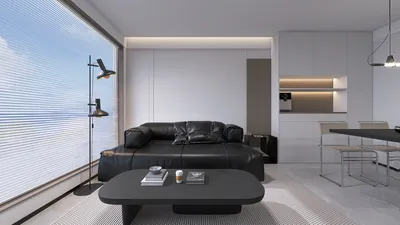


Incorporating 3D rendering into your WordPress site can significantly boost its visual aesthetics, making it more captivating for visitors. If you're looking to create engaging experiences, mastering the integration of 3D rendering within your WordPress platform is crucial. This guide will provide you with the basics of implementing 3D rendering and offer practical advice to help you begin using tools like Homestyler successfully.
Exploring the Concept of 3D Rendering
3D rendering refers to the creation of a two-dimensional image derived from a three-dimensional model. This technique is extensively utilized in fields such as architecture, product development, and animated media. When applied within WordPress, it becomes a valuable method to display products, designs, or any visual material that gains from a three-dimensional viewpoint.
Selecting the Best Tools for 3D Rendering
A range of plugins and tools is available to facilitate the addition of 3D rendering to your WordPress website. Some of the top choices include:
Incorporating 3D Models into Your WordPress Platform
Once you've selected the appropriate tool, the process of adding 3D models to your site is quite simple. Just follow these guidelines:
Enhancing 3D Models for Optimal Web Performance
To ensure fast loading times for your website, it’s important to optimize your 3D models before uploading them. Consider these recommendations:
Effective Strategies for Implementing 3D Rendering in WordPress
Keep the following strategies in mind for a better experience with 3D rendering:
Frequently Asked Questions
A: Absolutely! Implementing 3D rendering can elevate the quality of your product displays, offering customers a clearer insight into their potential purchases.
A: This technique can enhance user interaction, decrease bounce rates, and present your products or content innovatively, especially when utilizing platforms like Homestyler.
Welcome to the Top Home Design Software
Design Now for FREE
































