


Integrating 3D floor plan software into your website can greatly boost user interaction and offer essential design tools for your audience. Whether you are a real estate professional, an interior decorator, or managing a home improvement site, adding this technology can differentiate your services. In this article, we will explore the steps to seamlessly incorporate 3D floor plan software, enabling your visitors to envision their spaces in an innovative way.
Select the Appropriate Software
The initial step in embedding 3D floor plan software is to select the appropriate tool. It’s important to find software that provides easy embedding capabilities and is compatible with your website’s platform. Options like Homestyler’s Floor Planner offer user-friendly interfaces and diverse features, allowing users to effortlessly craft stunning floor plans.
Obtain the Embed Code
After selecting your software, the next step is to generate the embed code. Most 3D floor plan tools, including Homestyler’s 2D Design Tool, follow a simple procedure. Once you’ve perfected your floor plan, navigate to the settings menu and find the ‘Share’ or ‘Embed’ option. Copy the provided HTML embed code, which typically resembles the following:
Embed into Your Website
With the embed code in hand, it’s time to place it into your website. Access the page where you want the floor plan to show, and switch to the HTML or code editing mode. Paste the embed code in the chosen location, ensuring to adjust the width and height settings to align with your layout.
Test and Invite Interaction
Once you have embedded the code, preview your site to confirm the floor plan displays correctly. Encourage users to engage with the plan—consider inviting them to share their designs or provide feedback. You might also add a call-to-action like, “What’s your ideal room layout? Share your ideas below!”
Conclusion
Integrating 3D floor plan software is an excellent strategy to enhance your website’s utility and user engagement. By adhering to these steps, you can equip your visitors with powerful tools to visualize and design their spaces. Keep in mind that choosing the right software, such as Homestyler, can significantly impact the experience, so make your selection carefully!
FAQ
What are the advantages of using 3D floor plan software? Utilizing 3D floor plan software enables users to visualize their environment more accurately, experiment with different layouts, and make well-informed design decisions.
Can I personalize the floor plan? Yes, many 3D floor plan tools allow extensive customization options, including color palettes, furniture placements, and additional features.
Welcome to Try the Free 3D Floor Planner
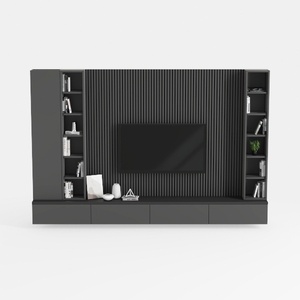



Discover the joy of home design with Homestyler! This user-friendly platform offers a fantastic online design tool, stunning 3D renderings, and a wealth of inspiring design projects. Plus, you can enhance your skills with engaging DIY video tutorials. Transform your space effortlessly!
立即免费设计
































