

Are you curious about whether Blender models can be utilized in 3D printing? Absolutely! Blender is an advanced open-source 3D modeling program that empowers you to create intricate and detailed designs that are ideal for printing.
Before you get started, it's important to grasp the fundamentals of preparing your models for successful 3D printing. A common challenge is making sure your model is manifold, which means it should be free of holes or unjoined edges. Ensuring a model has clean, solid geometry is essential for effective printing as it forms the basis for the printer's operations.
Here’s a concise guide on how to get your Blender models ready for 3D printing:
1. Verify Manifold Geometry
Load your model in Blender and utilize the 3D Print Toolbox add-on. This tool can assist in pinpointing any non-manifold edges or faces that might lead to complications during printing. Make sure all parts of your model are correctly connected, avoiding stray vertices.
2. Adjust Your Model's Scale
Be sure to scale your models to fit the dimensions required for your intended print. Measure your design in Blender and compare it to your desired print size. Keep in mind that scaling discrepancies can result in a warped final product.
3. Exporting Your Model for Printing
Once your model is ready, the next step is to export it in a 3D printable format. The most widely accepted file formats include STL and OBJ. You can accomplish this in Blender by navigating to the File menu, selecting Export, and then picking the appropriate format.
4. Implement Slicing Software
Prior to printing, you must process your exported file through slicing software. This type of software converts your model into specific instructions that the printer can interpret. Make adjustments to the printing settings according to the specifications of your printer.
5. Conduct a Test Print if Necessary
If you are dealing with a complex design, it may be wise to carry out a test print using smaller versions to identify any potential issues before producing your final print.
FAQ
Q: Is it possible to use Blender’s textures in my 3D print? A: Textures and colors are not directly printable; 3D printers create solid objects. Still, you can explore color 3D printing technology to achieve similar effects.
Q: Which file formats are best for 3D printing? A: The preferred formats for most 3D printers are STL and OBJ.
Built on technology originally developed at Autodesk, Homestyler empowers anyone to design beautiful, realistic spaces in minutes. Join over 18 million users who have already discovered a smarter way to plan, visualize, and bring their dream homes to life — all from the comfort of a browser.

Modern Marble Solid Wood TV Wall Unit With Bookshelves 3D Model
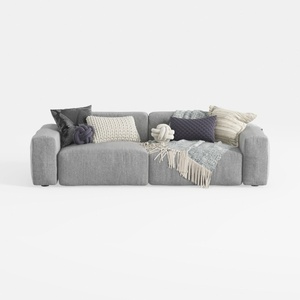
Minimalist Fabric Large Sectional Sofa with Decorative Pillows 3D Model


Modern Pink Velvet Curved 3 Seater Sofa with Decorative Throw Pillows 3D Model
Homestyler is your go-to online home design platform! With its user-friendly design tool, stunning 3D renderings, and a plethora of DIY video tutorials, you can effortlessly create and visualize your dream spaces. Unleash your creativity and transform your home today!
Design jetzt kostenlos
































