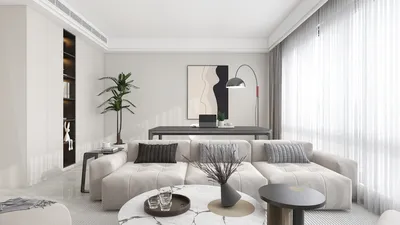


Are you in search of a free room layout planner to assist you in crafting your ideal space? Whether you’re designing a new home or simply wish to rearrange your existing room, having the right tools at your fingertips can significantly impact the process. An effective room planner, like Homestyler, enables you to visualize your area and test various arrangements before any physical alterations. This article will delve into some of the top free room layout planner applications available today, emphasizing their features, user-friendliness, and how they can help bring your design concepts to fruition.
Why Utilize a Room Layout Planner?
Employing a room layout planner can save valuable time, effort, and finances by enabling you to create a plan prior to rearranging any furniture. You can swiftly reposition objects, experiment with diverse color palettes, and visualize how various components will harmonize. Moreover, many of these applications, including Homestyler, offer 3D visualization options, providing a more lifelike representation of your design.
Best Free Room Layout Planner Applications
1. Homestyler: This application boasts a user-friendly interface and robust features perfect for room designs. You can generate both 2D and 3D configurations, all while accessing an extensive library of furniture and decor options. 2. Roomstyler 3D: With Roomstyler, you can effortlessly design your room layout and view it in 3D immediately. It allows for easy drag-and-drop functionality for furniture pieces and lets you see various styling options. 3. SketchUp Free: Ideal for more experienced users, SketchUp Free offers powerful tools for 3D design. Although it comes with a steeper learning curve, it provides unparalleled versatility for intricate designs.
How to Select the Ideal Planner for Your Needs
When choosing a room layout planner app, reflect on your particular requirements. Are you seeking an easy-to-navigate interface, or do you require comprehensive design capabilities? Also, look for applications equipped with furniture libraries and those allowing realistic 3D visualizations of your space. Finally, confirm the app’s compatibility with your devices.
Final Thoughts
Creating your perfect room doesn’t have to be overly complicated or expensive. Thanks to a free room layout planner app like Homestyler, you can easily turn your vision into reality. For both seasoned designers and newcomers alike, these tools can aid in crafting practical and visually appealing spaces.
FAQ
Q: What features should I consider when choosing a room layout planner? A: Key features to look for include 3D visualization capabilities, extensive furniture libraries, and user-friendly drag-and-drop interfaces.
Q: Are these applications accessible on mobile devices? A: A number of room layout planner apps are available for both desktop and mobile platforms, facilitating design tasks from anywhere.
Q: Are these applications genuinely free? A: Most provide free versions with limited functionalities, along with options for upgrades to access enhanced features.
Discover more about design tools with Homestyler and start planning your space right away!
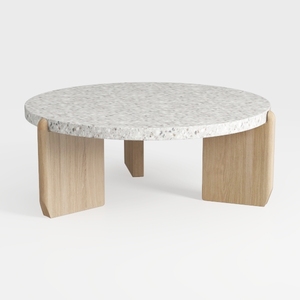
Minimalist Terrazzo Solid Oak Round Coffee Table 3D Model

Minimalist Solid Oak Linen 3 Seater Sofa 3D Model
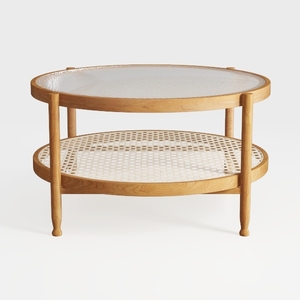
Minimalist Oak Rattan Glass Top Round Coffee Table 3D Model
Discover your dream space with Homestyler! This easy-to-use online design platform offers a powerful design tool, stunning 3D renderings, and a wealth of inspiring design projects. Plus, a variety of DIY video tutorials ensure you can create your perfect home effortlessly. Start designing today!
Design Now for FREE
































