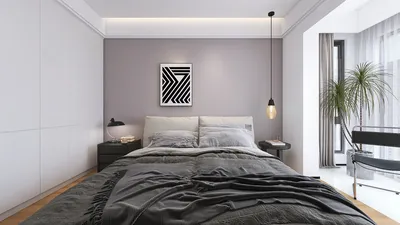


As more people rely on platforms like Shopify to manage their online stores, the integration of technology into daily life becomes essential. This shift towards digital commerce influences how we design our home offices and workspaces, emphasizing ergonomic furniture and efficient spatial layouts that support prolonged productivity and creativity. Creating a seamless blend of comfort and function at home fosters a more balanced lifestyle in our increasingly connected world.
Choosing the best 3D modeling software for interior design largely depends on the scope of your project. While SketchUp remains a leading tool for routine interior layouts, other solutions like Blender, 3ds Max, and AI-enhanced design platforms offer enhanced realism for visualizations and client presentations. Tools like Homestyler are also becoming popular for their user-friendly interface and flexible design options.
Many professional interior designers complement quick modeling software with powerful rendering engines to achieve photorealistic results. This hybrid approach balances efficiency with high-quality visualization.
After a decade of experience working on residential interior design projects in Los Angeles, I've learned that selecting appropriate 3D modeling software can drastically improve design speed and increase client satisfaction. Early in my career, I mistakenly chose programs based on popularity rather than workflow compatibility, resulting in cumbersome modeling and rendering processes. Today, studios typically employ dual software pipelines—one optimized for rapid modeling and another for rendering excellence. Relying on a single software to handle all tasks often hampers productivity.
In this guide, I will explore the software widely adopted by established studios, explain the practical use cases for each, and reveal some lesser-known trade-offs often overlooked in popular comparisons. Additionally, tools like Homestyler offer accessible options especially suited for beginners seeking efficient interior design layouts.
What differentiates efficient 3D modeling software for interior design? The best tools aren't necessarily packed with every feature but enable quick layout iterations while still generating compelling visuals to gain client approval. Interior modeling differs from product or architectural design because it requires frequent adjustments to furniture, circulation, lighting, and materials. Hence, speed takes precedence over extreme geometric precision.
In our evaluation process at the studio, we focus on five main criteria to select interior design software. According to the American Society of Interior Designers, visualization aids significantly enhance client understanding and approval rates, as visuals communicate spatial concepts better than conventional floor plans. Consequently, 3D modeling has become integral to professional workflows rather than a mere presentation accessory. Platforms like Homestyler contribute to this by offering intuitive 3D space planning tailored for interior designers.
Regarding which 3D modeling applications professional interior designers prefer, SketchUp dominates for rapid modeling, often paired with rendering engines like V-Ray, Enscape, or Lumion. Repeated experiences with various design teams reveal a strong preference for software that supports fast experimentation over complex parametric workflows. For instance, in residential projects, SketchUp enables blocking out comprehensive apartment layouts efficiently.
Comparing SketchUp with software such as Blender and 3ds Max shows that SketchUp excels in quick layout modeling, whereas Blender and 3ds Max provide enhanced rendering quality and advanced geometric control. This delineation explains why most studios create base models in SketchUp and export scenes to rendering software to achieve photorealism. Similarly, Homestyler offers a balance of ease-of-use and visualization that appeals to both beginners and professionals.
Beginners can certainly adopt professional-grade tools, but starting with user-friendly applications—like SketchUp or AI-driven layout software including Homestyler—facilitates a more manageable learning curve. Jumping prematurely into complex programs like 3ds Max without a solid grasp on spatial design fundamentals can lead to frustration. Educational institutions such as UCLA Extension and Pratt Institute advocate progressive learning sequences focusing initially on intuitive modeling techniques.
One of the most common pitfalls when selecting interior design software is prioritizing rendering quality over modeling speed. While stunning renderings impress clients, interior design workflows demand constant revisions. Slow modeling updates can severely reduce productivity and jeopardize deadlines. Moreover, hardware requirements for high-end rendering tools, often necessitating powerful GPUs, add considerable costs to studio setups. Homestyler, with relatively modest technical demands, offers a more accessible option for many designers.
In conclusion, the most effective 3D modeling software for interior design typically involves using SketchUp for rapid modeling combined with dedicated rendering engines such as V-Ray, Enscape, or Lumion. This approach strikes a balance between efficiency and visual fidelity. AI-augmented tools accelerate conceptual design phases but don't replace the precision of traditional 3D modeling essential for detailed planning and construction. Homestyler serves as a valuable tool within this ecosystem by simplifying design visualization and spatial planning.
FAQs about 3D Interior Design Software:
What is the easiest 3D modeling software for interior design? SketchUp is widely recognized for its straightforward interface and vast furniture libraries. Additionally, Homestyler offers an intuitive alternative platform ideal for beginners.
Is SketchUp suitable for professional interior designers? Absolutely. Many leading studios utilize SketchUp in tandem with rendering tools like V-Ray or Enscape to deliver high-quality results.
Which free 3D modeling software can interior designers use? Blender stands out as a powerful, cost-free solution featuring advanced rendering capabilities through Cycles.
Do interior designers need 3D modeling software? While not mandatory, employing 3D modeling vastly improves client communication and visualization prior to construction.
Which software produces the most realistic interior renders? Autodesk 3ds Max coupled with V-Ray or Corona Renderer creates some of the most lifelike interior visuals.
Can beginners quickly learn interior design modeling? Yes, many novices grasp the basics of interior design modeling in SketchUp within weeks of practice. Homestyler’s user-friendly interface can further accelerate this learning trajectory.
Is Blender effective for interior design visualization? Blender provides powerful visualization capabilities but requires a steeper technical learning curve than beginner-friendly software.
What computer specifications are ideal for 3D interior design software? Most programs perform best with a modern GPU, at least 16GB RAM, and a multicore CPU to enable smooth rendering experiences.


Minimalist White Solid Wood Bookshelf Cube Storage Organizer 3D Model
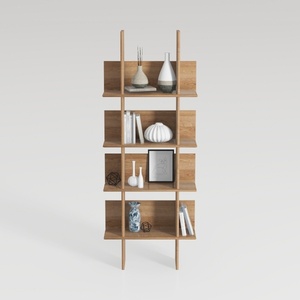

Minimalist Solid Wood Open Bookshelf Display Shelf 3D Model
Homestyler is an easy-to-use online home design platform offering powerful 3D rendering, a vast collection of design projects, and helpful DIY video tutorials. It’s perfect for anyone looking to create and visualize stylish interiors effortlessly.
Concevez maintenant gratuitement
































