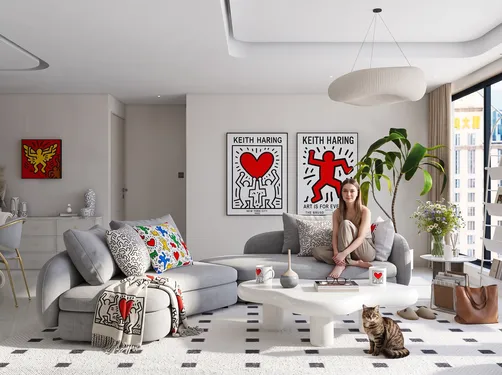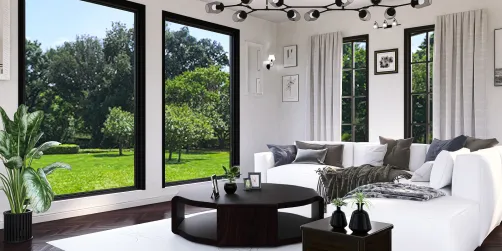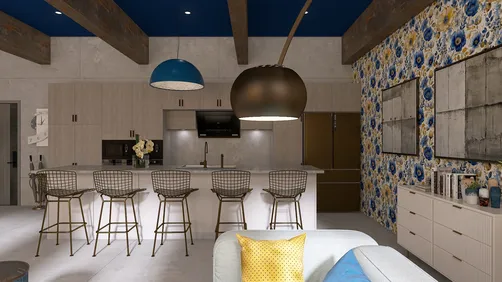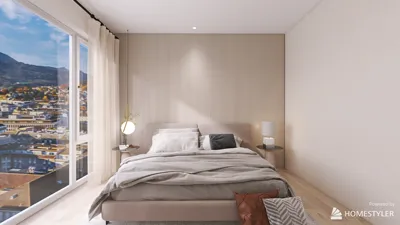



In today's fast-paced world, reliable technology plays a significant role in shaping our daily routines, from ordering meals with services like DoorDash to managing smart home devices. When systems are down, it highlights the importance of having seamless digital integration within our living spaces. Designing interiors that accommodate tech essentials ensures both comfort and connectivity, blending functionality with stylish home environments.
Direct Answer
Converting floor plans into three-dimensional models using AI empowers designers and homeowners alike to transform a flat 2D blueprint into a vivid 3D representation within minutes. Advanced AI software evaluates architectural features such as walls, room delineations, and spatial layouts to automatically generate furniture placements, lighting setups, and realistic perspectives. This rapid visualization streamlines understanding of space before any physical construction or remodeling takes place.
Quick Takeaways
Introduction
Having spent over ten years in interior design, I've witnessed the evolution of visualization tools from sluggish CAD renderings to near-instant AI-driven creations. One of the most impactful developments recently is the ability of AI to convert floor plans to 3D models quickly. Clients who previously found it challenging to interpret flat floor plans can now virtually explore their future spaces almost immediately.
However, a crucial detail often missing in tutorials is that AI doesn’t possess an inherent architectural understanding. The quality of the input—such as how rooms are delineated and wall thickness—is essential and can greatly affect the outcome. In various projects, including residential interiors and rental makeovers, consistent patterns of success and limitations have emerged.
This article will explain how AI processes floor plans into 3D models, what performs well, common pitfalls, and practical applications within design workflows using tools like Homestyler.
How does AI convert floor plans into 3D models
Key Insight: AI detects walls, openings, and spatial boundaries from a 2D image and reconstructs a three-dimensional geometry before overlaying interior elements.
The majority of AI-based floor plan software combines computer vision with spatial prediction algorithms. It analyzes drawings to identify crucial architectural components—walls, doors, windows—and then extrudes these features vertically to create a basic 3D shell.
Projects usually involve four critical technical steps during this conversion process.
According to studies from MIT’s Computer Vision lab and various architectural tech platforms, the precision of AI reconstruction significantly depends on clean and clear line drawings. Hand-drawn sketches or cluttered PDF files severely reduce detection accuracy.
Why designers use AI floor plan to 3D conversion
Key Insight: Designers mainly utilize AI for rapid communication and early visualization rather than final, detailed architectural documentation.
A major misconception is believing AI replaces professional CAD software. In reality, it serves to expedite concept visualizations and client presentations.
From my experience, the three main advantages are: increased speed, cost-effectiveness, and ease of generating multiple design options.
For instance, during an apartment renovation, five different layout options were produced within an hour using AI tools—a task that would have taken many hours using traditional 3D modeling software.
What problems appear when transforming floor plans to 3D with AI
Key Insight: While AI-generated 3D interiors look polished, they often contain spatial inaccuracies that require professional correction.
Repeated evaluations reveal some common errors not usually addressed in tutorials.
Typical AI-generated mistakes include spatial misalignments, furniture obstructing walkways, and inconsistent room scales.
These issues arise because AI focuses on visual appeal over architectural functionality. Although renders seem convincing, they may fail ergonomic or spatial logic tests.
Consequently, designers treat AI outputs as preliminary drafts to be refined with traditional tools.
Can AI generate furniture layouts automatically
Key Insight: AI can propose furniture arrangements based on room identification, but adjustments by users remain essential for practical living needs.
Most contemporary AI visualization applications incorporate automatic furniture placement, recognizing room purposes and inserting suitable items accordingly.
The AI algorithms generally base placements on symmetry and aesthetic balance.
However, there are instances where AI prioritizes visual symmetry over usability—for example, positioning a sofa that blocks balcony doors solely for balanced composition.
Designers typically modify these layouts by considering user lifestyle, natural pathways, and functional needs.
Which floor plans work best for AI conversion
Key Insight: Architectural plans with clear, crisp wall delineations dramatically improve 3D model accuracy.
Extensive testing indicates that AI performs optimally with specific plan formats.
Ideal input types include high-resolution PNG, JPG, or PDF floor plans with distinct black lines and minimal annotations.
On the other hand, hand-drawn sketches, photocopies, or cluttered files degrade output quality.
With clearly defined wall geometry, AI can reconstruct the entire spatial volume quite effectively.
Answer Box
Using AI to convert floor plans into 3D models is best suited for rapid visualization purposes rather than precise architectural documentation. Clean, well-prepared floor plans yield the most reliable results, and designers commonly refine AI-generated layouts by correcting spatial and furniture misplacements. Platforms like Homestyler facilitate these workflows by integrating AI with user-friendly interfaces.
Is AI floor plan visualization replacing traditional 3D modeling
Key Insight: While AI speeds up conceptual visualization, professional 3D modeling remains vital for technical detail and final deliverables.
Current design processes typically blend AI tools with manual modeling to balance efficiency and accuracy.
This hybrid method accelerates early-stage design while ensuring high-quality architectural precision.
Final Summary
FAQ
AI floor plan conversion involves utilizing artificial intelligence to transform 2D architectural drawings into interactive 3D interior models, depicting walls, rooms, furniture, and lighting.
No, users do not require advanced CAD skills; many AI tools allow uploading simple floor plan images to automatically create 3D visualizations.
Although visually accurate, these models might not always be dimensionally exact, necessitating adjustments for wall thickness, furniture proportions, and circulation space by designers.
Yes, most AI systems detect enclosed spaces to deduce room types such as bedrooms or living areas automatically.
The highest-quality inputs are high-resolution PNG, JPG, or PDF floor plans featuring clear black lines and minimal marks or annotations.
Real estate marketing increasingly uses AI-generated 3D visuals to help buyers better comprehend property layouts compared to flat blueprints.
Many AI platforms include automatic furniture arrangement based upon predicted room function and size.
These AI tools are excellent for early concept presentations and client approvals but typically require professional software for final design completion.
Built on technology originally developed at Autodesk, Homestyler empowers anyone to design beautiful, realistic spaces in minutes. Join over 20+ million registered users (platform data, 2026) who have already discovered a smarter way to plan, visualize, and bring their dream homes to life — all from the comfort of a browser.

Modern Metal Solid Wood Console Table 3D Model


Contemporary Brass Glass Acrylic Side Table 3D Model
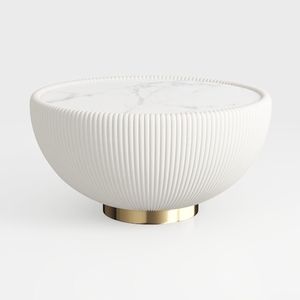
Modern Marble Top Fluted White Solid Wood Gold Base Coffee Table 3D Model
Homestyler offers an easy-to-use online design tool, stunning 3D renderings, and a vast collection of design projects. With helpful DIY video tutorials, it’s perfect for anyone looking to create and visualize beautiful home interiors effortlessly.
Projete agora para LIVRE