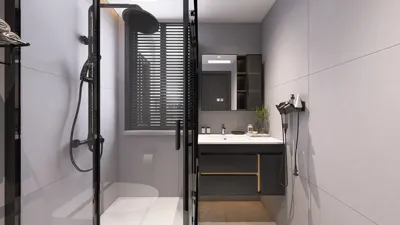


Compact workspaces can offer significant functionality without feeling constrained. By implementing effective desk and storage solutions, a small office can promote a healthier posture and a serene visual environment. In my designs, I strive to optimize surfaces, utilize vertical storage, and maintain clear pathways, enabling a smaller area to perform efficiently without the sensation of being cramped.
Research supports that a well-organized, minimalistic setup enhances productivity. According to Gensler’s recent workplace study, having a say in one’s workspace correlates with greater effectiveness and satisfaction; even in limited spaces, adaptable features and organized elements enhance perceived control and output. Steelcase findings also reveal that visual clutter and noise are key distractions that hinder concentration. Thus, integrating storage solutions is an effective tactic for preserving cognitive focus and comfort. I combine these insights with ergonomic principles: a desk height of 28–29 inches (suitable for most adults) and task lighting adjusted to about 300–500 lux are crucial for maintaining a sound ergonomic environment.
Creating healthy environments requires a balance of light, color, and sound quality. WELL v2 guidelines recommend layered lighting and glare management to encourage circadian wellness; a combination of a 3000–4000K task light with softer ambient light can minimize harsh contrasts. The impact of color on emotion and performance is notable—Verywell Mind explains that blues and greens typically foster a calm and focused atmosphere, whereas overly vibrant reds might evoke urgency. In smaller workspaces, I advocate for using low-gloss surfaces to mitigate glare, as well as soft materials to absorb sound, while a subdued color palette makes the area feel more spacious and organized.
Core Principles for Small-Space Office Desks
A successful compact workstation emphasizes clarity, accessibility, and flow. I ensure a defined workspace with a minimum width of 24–30 inches for keyboard and mouse, keep essential items within an 18-inch reach, and utilize vertical storage for less frequently accessed items. Features like concealed cable management, flush hardware, and hidden compartments contribute to maintaining visual calm and minimizing micro-distractions.
Choosing the Right Desk With Storage
In constrained environments, it's essential to select a desk that maximizes storage while minimizing depth. I search for features like a slim pedestal (one or two drawers) that does not obstruct knees; a shallow hutch for vertical files, notebooks, and peripherals; and a channel at the back for power strips and cable management. A depth of 20 to 24 inches is optimal in narrow rooms, supporting good posture and ensuring ease of movement. For corners, an L-shaped desk with a shallow return can effectively designate focus and reference areas without obstructing pathways.
Vertical Storage That Doesn’t Add Bulk
When floor space is at a premium, consider growing upward. Slim hutches (8–12 inches deep), adjustable wall-mounted shelving, and pegboard systems keep essentials visible while maintaining tidiness. Heavier items should be placed higher, reserving eye-level shelves for daily tools and small plants or reference materials. Uniform boxes or magazine files can reduce visual clutter when organizing items.
Decluttered Surfaces: Cable and Tech Management
Every device necessitates a cable. I prioritize a rear cord trough, grommets, Velcro ties, and a singular under-desk power strip. Mounting the router or hub beneath the desk or on a wall panel, and labeling cords upon installation eliminates future chaos. Opting for wireless peripherals decreases cable concentration and enhances workspace usability, especially on smaller desks.
Ergonomics in a Compact Footprint
Maintaining a healthy posture is essential in tight spaces. Ensure: monitor tops are at or just below eye level; the viewing distance from the screen is between 20–28 inches; elbows are at approximately 90 degrees, allowing forearms to rest comfortably; and feet rest flat on the floor or a footrest. For dual-screen setups, utilize a dual-arm mount to position displays appropriately while safeguarding desk space for documents. Investing in a compact sit-stand desk (typically 24x48 inches) alongside a slim pedestal offers flexibility without crowding.
Light, Color, and Acoustics
Layer lighting for optimal comfort and efficiency. Combine overhead ambient lighting with a 300–500 lux task light on an adjustable arm to minimize shadows. Aim for a color temperature around 3500K to balance warm and neutral tones, adjusting brightness to eliminate glare on screens. In smaller areas, incorporating an acoustic panel behind the monitor and a rug beneath the chair can appreciably decrease echo and fatigue. Opt for matte finishes, wool felt materials, and woven shades that soften reflections and simplify maintenance.
Smart Layouts for Tiny Rooms
Before acquiring any furniture, map out traffic patterns and necessary clearances. Ensure at least 30–36 inches behind chairs for movement and access. In studio settings, position a narrow desk against a wall with a shallow return designated for printers. If your layout is unconventional, experiment with arrangements using a room layout software to confirm reach and flow before finalizing purchases. Tools like Homestyler can help visualize clearance and natural light pathways effectively.
Storage Tactics That Scale
- Organize drawers by hierarchy: top for everyday items, middle for tech accessories, and bottom for files or bulkier goods.
- Explore digital solutions for files: scan and store electronically, reserving one slim drawer for vital physical documents.
- Implement a docking shelf: a shallow, ventilated space for a laptop/USB hub keeps the primary surface free of clutter.
- Create a discreet landing spot: a tray within the top drawer for keys, wallets, and cords minimizes surface disorder.
Materials and Sustainability
For small workstations, durable laminates or veneer over sturdy bases maintain crisp edges. Opt for low-VOC finishes and sustainably sourced wood when possible. Adjustable powder-coated steel frames allow for easy adjustments on uneven surfaces. Use LED task lights with dimmable features and warm-to-neutral color temperatures for visual comfort and energy efficiency.
Color Psychology for Focused Work
In compact settings, soft neutrals (warm grays, sands, chalks) combined with muted blues or greens enhance concentration without creating a chilling effect. A single accent—like a muted teal drawer front or olive fabric panel—imparts personality without overwhelming the senses. Keep vivid accents below eye level to avoid distraction from the screen.
Case-Based Tips From Real Projects
- A 48x22-inch desk with a 10-inch hutch: an ideal solution for studio apartments, allowing adequate clearance for a 30-inch chair setup.
- An L-shaped desk featuring dimensions of 48x24 + 36x18 for the return: delineates typing and referencing tasks while optimizing main workspace usage.
- Utilize a wall rail above the desk: three shelves positioned at 12, 18, and 24 inches above provide easy access to notebooks and peripherals without adding clutter to the monitor area.
Shopping Checklist
- Desk dimensions of 20–24 inches in depth for tight spaces; 24–30 inches for broader areas.
- Inclusion of integrated cable grommet and a rear trough.
- A single slim pedestal or a mobile caddy for easy access.
- A monitor arm to maximize desk space.
- An LED task light with a color temperature of 3500K and dimming capabilities.
- Features like wall rails or a hutch that is 12 inches deep or less.
- Select a chair that can fully slide beneath the desk.
FAQ
For a compact workspace, aim for dimensions starting at 40–48 inches wide and 20–24 inches deep. This configuration provides enough room for keyboard and mouse interaction without obstructing movement.
Target a work surface illumination of 300–500 lux from task lighting, with ambient light to prevent harsh contrasts. Keeping color temperature around 3500K and adding dimming options can help manage screen glare.
Yes—provided their depth is limited (8–12 inches). These features can help relocate storage off the work surface and decrease clutter, but it’s best to avoid deep hutches that can obstruct monitor visibility or cause shadows.
Utilize a rear trough, desk grommet, and a singular under-desk power strip. Group cables using ties and label them for easier management. Position the router or hub beneath the desk to maintain a tidy surface area.
Look for compact desk frames measuring around 24x48 inches, combined with a slim pedestal or wall shelves to avoid bulky cabinetry for better clearance.
Soft neutroals combined with subdued blues and greens aid in fostering calm focus. It’s best to keep bright accents small and low-contrast to maintain an open and distraction-free environment.
Maintain a clear width of at least 30 inches; aiming for 36 inches allows for greater comfort, especially if the space also serves as a walkway. Too-tight clearances can create a feeling of constriction, impacting concentration.
Ensure that tools used regularly—like pens, notepads, external drives, and headphones—are kept within an 18-inch accessibility zone. Rarely used tech and archived items should be transferred to vertical storage solutions.
Acoustic enhancements, such as a small rug, a fabric pinboard, and one or two acoustic panels, can significantly lower echo and ear fatigue, enhancing overall concentration, particularly in rooms with hard surfaces.
This is feasible if one side is shallow (16–18 inches), as it can establish a focused reference area or a printer zone while keeping the main surface free from clutter.
Combine both styles of storage. Drawers can conceal smaller items and minimize visual noise, while open shelves allow for easy access to frequently used materials. Keep shelf depth shallow to avoid hindering monitor visibility.
Take accurate room measurements, identify door swings and outlet positions, and simulate different layouts using a design visualization tool to confirm clearances and lighting needs before making any purchases.
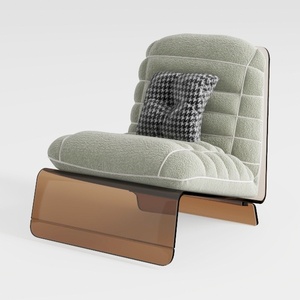
Outdoor Swivel Rocker Patio Chairs Set of 2, Heavy

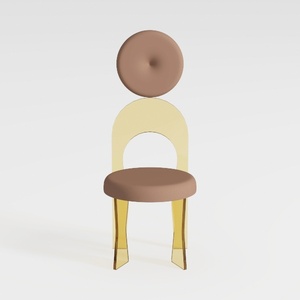
Tov Furniture Carmel Round Upholstered Chair (Velv
Homestyler is your go-to online platform for effortless home design. With its user-friendly design tool, stunning 3D renderings, and a wealth of DIY video tutorials, you can transform your interior ideas into reality—perfect for both beginners and seasoned decorators!
تصميم الآن مجانا
































