


Starting your journey into 3D design with AutoCAD is crucial for various design endeavors. Are you eager to delve into the world of 3D modeling? Let's get started!
How to Access 3D Modeling in AutoCAD:
1. **Open AutoCAD**: Begin by launching your AutoCAD application. Upon opening, you will be greeted by the primary interface.
2. **Select 3D Workspace**: Look for the workspace switching feature located at the top-left corner. Opt for either the '3D Basics' or '3D Modeling' workspace to configure your environment for 3D tasks.
3. **Initiate 3D View**: Head to the View tab. In the Views panel, select a 3D perspective, such as ‘SW isometric’ or ‘NE isometric’. This transition grants you a more advantageous viewpoint for your 3D designs.
Adjusting Your View and Starting Modeling
4. **Create Your 3D Model**: Utilize basic shapes such as **Box**, **Sphere**, or **Cylinder** available in the model panel to commence your design. Form basic shapes and then refine them with commands like **Extrude** or **Revolve** to establish dimensions.
5. **Learn 3D Commands**: Get acquainted with commands like **3D Rotate**, **3D Move**, and **3D Mirror**. Mastering these will allow you to manipulate your 3D elements with ease.
Completing Your 3D Project
6. **Enhancement**: Employ the **Fillet** and **Chamfer** tools to soften edges or add finer details to your model.
7. **Visualization**: To gain a clearer perspective of your model, utilize the **Render** option found under the Visualize tab. This feature enables you to preview potential lighting and surface finishes.
Frequently Asked Questions (FAQ)
Q: What’s the initial step to commence 3D modeling in AutoCAD? A: The first step involves switching to a 3D workspace, choosing either '3D Basics' or '3D Modeling'.
Q: How can I elevate my 3D modeling skills in AutoCAD? A: Consistent practice using various commands along with exploring online tutorials can significantly boost your proficiency.
Additional Advice:
To enrich your 3D modeling experience, think about taking advantage of online forums and communities focused on AutoCAD. Interacting with other designers can offer priceless insights, practical tips, and lessons derived from real-life projects.
Furthermore, consider utilizing tools like Homestyler, which can streamline your design process and inspire your creativity.

Fabric Accent Chair, Upholstered Armchair with
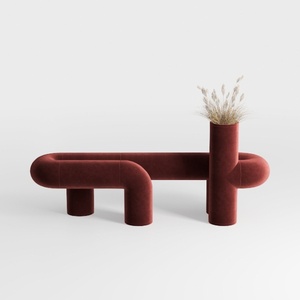
Modern Velvet Creative Entryway Bench with Planter 3D Model

Modern Minimalist Fabric Upholstered Round Ottoman Metal Legs 3D Model
Looking to transform your space? Homestyler is your ultimate home design companion. With an easy-to-use online design tool, stunning 3D renderings, and a wealth of DIY video tutorials, you'll have everything you need to bring your dream home to life effortlessly!
Progetta ora GRATIS
































