


Mastering the art of creating curved models in 3D Max is crucial for designers aiming to incorporate organic shapes into their creations. Although it might appear daunting initially, applying the appropriate methods will enable you to craft beautiful curves with ease.
An Introduction to Curved Modeling in 3D Max
Before you dive deep into the details, it's vital to arrange your workspace correctly. Make sure all essential tools are readily available within 3D Max. To achieve curved forms effectively, utilizing splines is among the best strategies.
Start your process by choosing the Line tool to craft your foundational spline. Click within the viewport to position points and outline your curves. Keep in mind that a greater number of points will yield a smoother curve. Have you ever adjusted the spline's handles? This is a crucial step for perfecting your curves!
Enhancing Your Curved Models
Once your initial spline is established, convert it into a NURBS object using the Convert To functionality. This opens up opportunities for more detailed adjustments. You can manipulate the control points to further refine the shape. Have you tried using the Soft Selection feature? It significantly aids in achieving elegant, flowing curves.
Additionally, don’t overlook the application of modifiers such as Lathe or Bevel to infuse depth and dimension into your curves. This crucial step transforms a simple line into a detailed model. What techniques are you considering to enhance your curves?
Exploring Advanced Curved Modeling Techniques
After mastering the fundamentals, you might want to delve into advanced methods like the Sweep or Loft modifiers. These potent tools can give rise to even more intricate shapes and designs. Moreover, understanding normals and UV mapping can significantly improve how your curves function in a scene.
To streamline your design process, consider crafting custom spline shapes that can be reused in various projects. Not only will this save you time, but it will also establish a personalized library of designs that can be easily modified as needed.
Frequently Asked Questions
Q: Which tools are ideal for forming curves in 3D Max? A: The primary tool utilized for creating splines, essential for curved modeling, is the Line tool. In addition, modifiers like Lathe and Bevel can enhance your designs.
Q: What methods can I use to refine my curves? A: You can enhance your curves by converting your spline into a NURBS object and fine-tuning the control points and handles as per your requirements.
Q: Are there useful shortcuts I should be aware of? A: Getting accustomed to the Soft Selection feature will help you create smoother transitions in your curves.
Q: What advantages do NURBS offer for curved modeling? A: NURBS grant increased flexibility and precision when shaping curves, making them an excellent choice for crafting complex and organic designs.
Q: Is it possible to create intricate shapes with 3D Max? A: Certainly! By effectively combining splines, modifiers, and various techniques, your potential for crafting complex shapes is virtually limitless, especially with resources like Homestyler to assist in visualization.
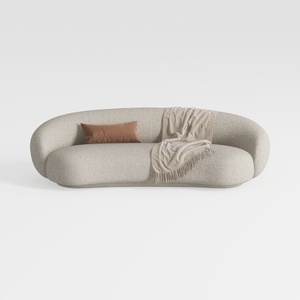

Minimalist Boucle Fabric Curved Sofa With Throw Pillow And Blanket 3D Model
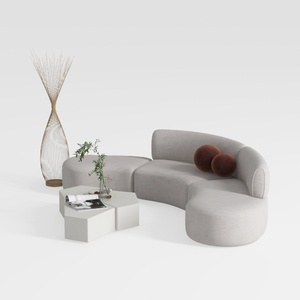
Minimalist Fabric Curved Sectional Sofa 3D Model
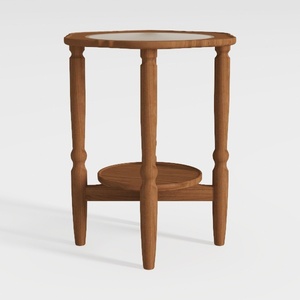
HOOBRO Small Round Side Table with Charging
Transform your home design experience with Homestyler! This user-friendly online platform offers a robust design tool, stunning 3D renderings, inspiring projects, and helpful DIY video tutorials. Perfect for both beginners and seasoned designers, it's never been easier to visualize and create your dream space!
立即免费设计
































