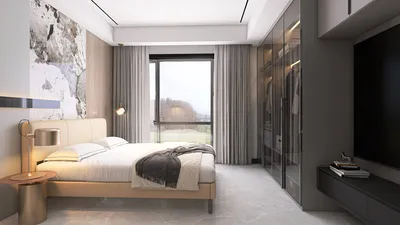


Incorporating the nostalgic charm of iconic figures like Macaulay Culkin can inspire unique fashion and lifestyle choices that translate beautifully into home design. Embracing a playful yet refined aesthetic reminiscent of the '90s can guide the selection of statement furniture pieces that blend comfort with character. This approach encourages spatial planning that balances personal memorabilia with modern functionality, creating living spaces that feel both familiar and stylish.
Many AI-powered room design tools overlook the critical step of incorporating accurate room measurements. However, those that do distinguish themselves by providing more than just a visual transformation—they offer a practical, actionable floor plan. This difference separates mere images from truly functional layouts.
AI room planners generally fall into two categories. The first type generates stylized images by simply interpreting a photo of your room, altering its appearance but not its scale. The second type builds an exact floor plan based on real room dimensions, enabling you to make informed decisions about furniture placement, size compatibility, and overall space usability.
If your goal is to verify whether a bed fits, assess if a desk can occupy a particular corner, or understand how furniture will affect the room's ambiance, only an AI room layout planner that relies on precise measurements can provide reliable answers. Online tools like Homestyler offer this capability, allowing users to create realistic spatial configurations they can trust. This guide walks you through the process of leveraging such a planner effectively.
Step 1: Begin by Measuring Your Room Accurately Before Using Any Software
The precision of your room layout depends wholly on the accuracy of your initial measurements. Think of the planner as only as dependable as the data you input. Taking the time to note down measurements—either on paper or a digital notes app—prior to engaging with Homestyler ensures a smoother design experience.
For a typical rectangular room, this measurement process usually takes about 10 minutes. Complex spaces featuring alcoves or slanted walls might require closer to 20 minutes. This initial effort pays dividends by preventing interruptions later during the digital design stage.
Step 2: Precisely Measure Your Furniture Pieces
If you're incorporating existing furniture, pinpoint the exact dimensions of each significant item. For new purchases, avoid vague descriptions and instead record the exact length, width, and depth from product specifications. For example, knowing a sofa measures 88 inches wide and 36 inches deep is far more useful than simply knowing it’s "large."
Step 3: Input Your Room Data into an AI Layout Planner
Once equipped with exact measurements, launch an AI room planner like Homestyler. There’s no need for user registration. Start by drawing the room’s perimeter based on your measurements. For conventional rectangular rooms, set length and width. For irregular layouts—such as L-shaped spaces or rooms with alcoves—draw each individual wall segment following your collected measurements.
With the room outline established, proceed to add fixed features such as doors and windows. This is a stage often rushed but absolutely critical. Incorrect placement by even a couple of feet can invalidate your entire plan. The digital room should mirror the physical space as closely as possible.
Next, select furniture from the planner’s extensive library that matches your existing items or potential new acquisitions. If a piece isn’t available in the library, manually enter its measurements to maintain accuracy.
Anchor your design using the largest or least movable piece, such as a bed in the bedroom or a sofa in the living area. Build the rest of the layout around this, thoughtfully incorporating secondary pieces while checking clearance distances regularly.
Step 4: Experiment with Multiple Layouts
Rarely is the first layout that fits the space also the optimal one. When your measurements are in place, testing different configurations becomes quick and efficient, allowing you to explore a variety of arrangements without continual re-measuring or sketching.
Compare each layout carefully, considering flow, comfort, and accessibility. Trying at least two or three alternatives prevents settling for less-than-ideal arrangements.
Step 5: Review Your Design in 3D
Once you've settled on a 2D layout that feels right, switch to the 3D visualization mode. This perspective reveals spatial relationships at eye level, providing insight that flat diagrams can’t offer.
3D views often highlight issues missed in 2D, such as furniture scale or pathway obstructions. If problems surface, adjust the 2D plan accordingly and re-examine the 3D rendering. Iterating between these views quickly resolves most design challenges before implementation.
Advantages Brought by AI Technology
An effective AI room planner delivers more than just drag-and-drop functionality. Its intelligent features help automate furniture arrangement, ensure clearance compliance, and even suggest optimal layouts based on your inputs.
These capabilities depend entirely on the reliability of your measurement data. With accurate metrics, Homestyler can convert a blank canvas into a ready-to-use and realistic floor plan in under half an hour.
Common Measurement Pitfalls to Avoid
Small details can make a large difference. For example, baseboards typically add between half an inch to an inch along walls. When dealing with cozy alcoves, neglecting this can result in furniture that doesn't fit.
Doors also deserve attention. A door swinging 30 inches into a room creates an unusable semicircular space. Plans ignoring door swings can lead to placements that look plausible but quickly become daily annoyances. Always mark door swings in your planner before positioning nearby furniture.
Be mindful that nominal furniture sizes often exclude elements like frames or armrests that add extra inches to width and depth. Measuring your actual piece or cross-referencing detailed product sheets ensures the layout’s fidelity.
Depth is frequently guessed but should be precisely measured. Depth variations can drastically affect functional floor space, so every piece must be measured accurately.
Frequently Asked Questions About AI Room Planning
Yes, you can create a functional layout with AI—but only if you use a planner based on accurate measurements rather than simple photo transformations. Homestyler’s AI room planner lets users input exact room dimensions, accurately place furniture, and generate realistic 3D layouts rooted in true spatial data.
Gather data such as room length, width, ceiling height, door and window locations and dimensions, and any fixed architectural features. For furniture, measure length, width, and depth of each major item. The more precise you are, the more faithful your design will be.
A reliable AI room planner is only as accurate as your input data. Precise measurements translate to layouts that correctly reflect furniture fit, walking clearances, and the overall feel of the space in 3D.
Homestyler’s platform is designed around these principles. You draw spaces to scale, place furniture from a comprehensive catalog or by entering custom sizes, and preview your design instantly in 3D. Getting started requires no account or downloads, simplifying your entry into precise room planning.


LITTLE TREE 74-Inch Executive L-Shaped Desk with S

Dining Chairs Set of 4 Modern High Backrest
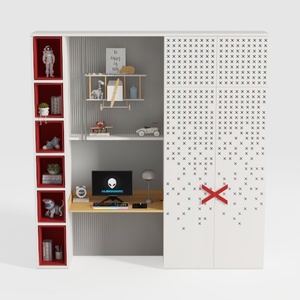
Modern Minimalist Multi functional Kids Study Wardrobe Cabinet 3D Model
Homestyler offers an easy-to-use online design tool with stunning 3D renderings, a vast collection of interior design projects, and helpful DIY video tutorials—perfect for bringing your home design ideas to life effortlessly.
Design Now for FREE
































