


Transforming a 3D model into a 2D vector is an essential capability for artists and designers eager to produce captivating graphics or intricate technical illustrations. Whether you are crafting architectural blueprints, artistic illustrations, or product designs, mastering this conversion technique can significantly streamline your creative process.
Fundamentals of Converting 3D to 2D
The fundamental principle of changing a 3D model into a 2D vector involves flattening the three-dimensional image into a two-dimensional representation. Typically, this transformation requires rendering the 3D model onto a 2D plane with the aid of specialized software.
Begin by familiarizing yourself with the software options designed for this purpose. Applications such as Adobe Illustrator, CorelDRAW, or even CAD programs can effectively generate vector graphics from 3D models. Each software possesses unique functionalities, making it critical to select one that aligns with your workflow.
Step-by-Step Process for Conversion
Here’s a simple guide to converting a 3D model into a 2D vector:
Import Your 3D Model: Start by bringing your 3D model into the software of your choice. Ensure it is well-maintained and devoid of unnecessary details that could hinder the conversion process.
Choose Your Preferred View: Determine which angle you want to showcase in your 2D vector—be it a front, top, or side view—according to your intended application of the vector.
Render the Image: Take advantage of the software’s rendering capabilities to create a flat representation of your 3D model. This initial output will typically be a bitmap image before converting it into a vector format.
Trace the Image: Employ the vector tracing feature available in the software to transform the rendered image into a vector format. Fine-tune the settings to attain your desired detail level.
Save and Export: When you’re pleased with the tracing results, save your new vector illustration in the preferred file format, such as SVG, EPS, or AI.
Optimal Practices for Effective Conversion
To facilitate a seamless conversion, keep these tips in mind:
FAQ
Q: What software is recommended for transforming 3D models to 2D vectors? A: Recommended software includes Adobe Illustrator, CorelDRAW, and various CAD tools, each with specific advantages.
Q: Is it feasible to produce high-quality vectors from low-poly 3D models? A: Yes, but the quality will vary; high-poly models generally produce superior results because of their enhanced detail.
Q: Can this process be automated? A: Some software solutions provide batch processing functionalities that can help streamline part of the conversion, though manual refinements might still be necessary.

Modern Velvet Gold Accent Swivel Chair 3D Model

Modern Minimalist Fabric Leather Metal Lounge Chair with Throw Blanket 3D Model
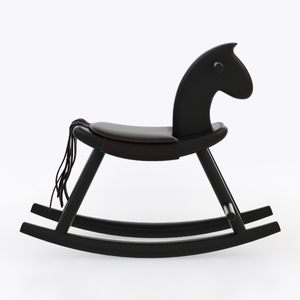
Minimalist Black Solid Wood Leather Kids Rocking Horse 3D Model
Homestyler is your go-to online home design platform! With its intuitive design tool, stunning 3D renderings, and a treasure trove of design projects and DIY video tutorials, you can effortlessly create the home of your dreams—perfect for both beginners and seasoned designers alike!
Design Now for FREE
































