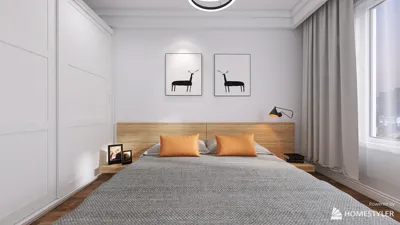


Integrating a 3D model into Unity is a crucial step toward crafting engaging environments, whether your focus is on gaming, architectural tours, or dynamic design visualizations. The procedure is quite simple: Start by confirming that your 3D model is saved in a format compatible with Unity, such as .FBX, .OBJ, or .DAE. Next, move your model file into the ‘Assets’ folder of your Unity project—Unity will handle the import process automatically. You can then drag the imported model from the Project tab into your Scene or Hierarchy panel. Once there, you can adjust its position, scale, and rotation directly within the Scene view. Don’t forget to apply the required materials or textures by dragging and dropping them onto your model. From my experience, I highly recommend organizing your models and assets into well-labeled subfolders to enhance accessibility and workflow efficiency, particularly when using tools like Homestyler for room design.
Tips 1:
When visualizing an entire space or playing with room layouts, I suggest utilizing specialized interactive digital tools designed for room design. These applications often facilitate the seamless integration of 3D models and offer robust capabilities such as real-time rendering, simplified layout modifications, and compatibility with widely-used model formats. For example, employing a room planner allows you to effortlessly add, move, and visualize 3D models in a realistic context—enabling quick iterations and refinements of your design ideas, especially when paired with resources like Homestyler.
FAQ
Q: Which 3D model file formats can Unity work with?
A: Unity is compatible with a range of formats including .FBX, .OBJ, .DAE, .3DS, .SKP, and various other standard 3D file types.
Q: Why does my imported 3D model appear differently in Unity compared to my modeling software?
A: Variances may be caused by settings related to materials, textures, or lighting; ensure that your textures are correctly linked and adjust Unity’s lighting settings as necessary.
Q: How can I add materials or textures to a 3D model within Unity?
A: Import your textures into the Assets folder, then drag and drop them onto your model in the Scene or assign them in the material section of the Inspector panel.
Q: Is it possible for Unity to import animated 3D models?
A: Absolutely, Unity can import animations that are embedded within .FBX files and other compatible formats that support animations.
Q: What’s the optimal strategy for organizing 3D assets within my Unity project?
A: It’s advisable to create subfolders within the Assets directory, categorize models based on type or setting, and follow a coherent naming convention to ensure easy navigation and scalability of your project.
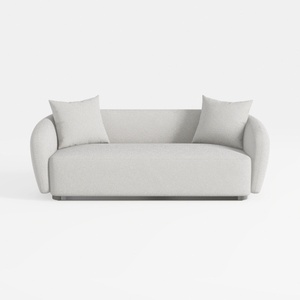
Minimalist Boucle Fabric Living Room Sofa 3D Model

Minimalist Modern Fabric Sectional Sofa Living Room Set 3D Model

Minimalist Fabric Three Seater Sofa with Decorative Pillows and Throws 3D Model
Homestyler is your ultimate home design partner! With its user-friendly online design tool, stunning 3D renderings, and a wealth of design projects and DIY video tutorials, transforming your space has never been easier. Unleash your creativity and make your dream home a reality!
Дизайн сейчас бесплатно
































