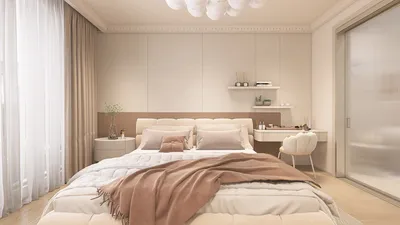


Enhancing your design portfolio with captivating interior renderings is essential for students entering the design field. One effective tool to consider is Homestyler, which allows you to transform your interior designs into breathtaking visuals. In this guide, we will delve into essential strategies for utilizing Homestyler effectively, enabling you to produce impressive interior renderings that highlight your design expertise.
Getting Started with Homestyler
Before jumping into rendering, take some time to get acquainted with Homestyler's user-friendly interface. Begin by importing your 3D model created in software like SketchUp or Revit. Once you have your model loaded into Homestyler, you can start applying various materials, lighting, and effects to develop a lifelike environment.
Selecting Materials and Textures
Choosing the appropriate materials is vital for creating realistic renderings. Homestyler presents a vast selection of materials, in addition to the option to design custom textures. Focus on details like color, gloss, and reflectivity to enrich the authenticity of your interior spaces.
Lighting Strategies for Realism
The right lighting can dramatically influence the quality of your render. Use natural lighting by adjusting the sunlight's position to cast shadows and highlight key aspects of your interior. Additionally, incorporate artificial lighting by adding lamps and fixtures to enhance the overall ambiance.
Incorporating Furniture and Accessories
To evoke a lived-in atmosphere, integrate furniture and accessories into your designs. Homestyler provides an extensive library of 3D models for you to furnish your space effectively. Carefully arrange these items to optimize flow and functionality within your design.
Utilizing Effects for Enhanced Visuals
Leverage Homestyler's wide range of effects to improve your renderings. Effects such as reflections, depth of field, and atmospheric conditions can add drama and depth to your visuals. Experiment with different combinations to discover the ideal appearance for your project.
Rendering Settings for Optimal Quality
Before finalizing your render, fine-tune the settings to achieve the best possible output quality. Select the appropriate resolution and quality preferences according to your project’s requirements. High-quality renders are crucial for presentations or portfolio displays.
Exporting Your Final Renderings
After achieving satisfaction with your render, export your images or videos for sharing. Homestyler enables you to save your work in various formats, simplifying integration into your portfolio or presentations.
Insights for Students
As a student, ongoing practice is essential. Explore diverse styles and techniques to cultivate your individual rendering approach. Join online forums or communities to gather feedback and enhance your skills further.
Frequently Asked Questions
Q: What is Homestyler? A: Homestyler is a 3D rendering application utilized in architecture and interior design, enabling users to produce high-quality visualizations quickly and efficiently.
Q: Can students access Homestyler for free? A: Homestyler often has educational licenses available that may provide discounts or complimentary access for students.
Q: How long does rendering a scene in Homestyler take? A: The duration for rendering can vary based on scene complexity and selected quality settings, with times ranging from mere seconds to several minutes.
Welcome to the premier home design software!
立即免费设计
































