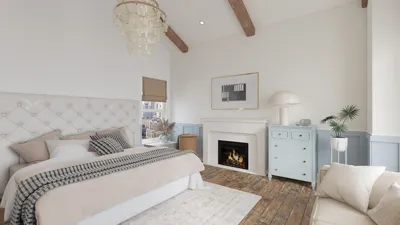


Are you eager to design eye-catching floor plans for your property or project? The initial move is to activate your floor plan creator. With our user-friendly features, you can craft your area like an expert. Whether you're a professional interior designer or a passionate DIYer, having access to a dependable floor plan creator such as Homestyler can turn your visions into reality.
Steps to Activate Your Floor Plan Creator
Activating your floor plan creator is simple. Just follow these steps: 1) Go to our website and sign in to your account; 2) Locate the activation code section; 3) Input the code you received via email; 4) Hit the activate button. Once it's activated, you'll be ready to start crafting your floor plans utilizing all the available features.
Advantages of Employing a Floor Plan Creator
Utilizing a floor plan creator enables you to visualize your space prior to making any alterations. You can try out various layouts, color schemes, and furniture arrangements. This approach saves you time and prevents expensive errors. Our tool also offers both 2D and 3D design options, making it simpler to grasp how your space will come together, especially when using Homestyler.
Common Questions
What can you do if you have misplaced your activation code? No need for concern! You can request a new one anytime through our support page. Furthermore, if you have further inquiries regarding how to use the floor planner, feel free to check the Floor Planner section of our website, which is full of tutorials and helpful tips.
Welcome to the Number One Floor Plan Creator
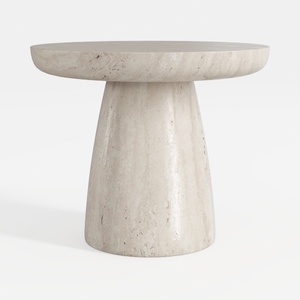
Minimalist Travertine Round Side Table 3D Model
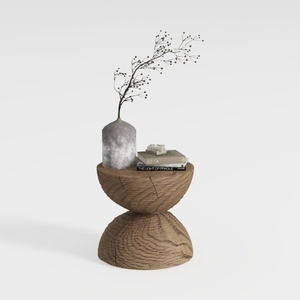
Minimalist Solid Oak Wood Side Table Unique Hourglass Shape 3D Model

Minimalist Velvet L Shaped Sectional Sofa with Throw Pillows 3D Model
Experience effortless home design with Homestyler! This user-friendly online platform features a powerful design tool, stunning 3D renderings, a variety of inspiring design projects, and helpful DIY video tutorials. Transform your living space into your dream home with just a few clicks—no design experience needed!
Design Now for FREE
































