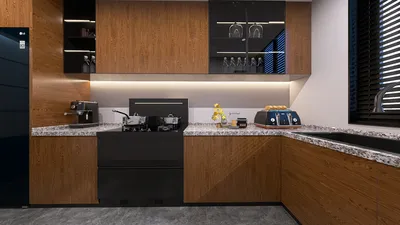


I've designed a multitude of spaces, transitioning them from serene to energetic in an instant—ranging from family rooms to dormitories, break areas, and adolescent bedrooms. The most effective game-ready environments start with the creation of zones, as well as careful consideration of lighting and sound. According to Gensler's 2023 Workplace Survey, a staggering 83% of leading workplaces provide various spaces tailored to distinct activities, a concept that can be seamlessly applied to rooms geared toward play. Additionally, the International WELL Building Institute advocates for proper illumination and glare management to enhance visual comfort, emphasizing the importance for eye health during board games or while using screens.
Lighting quality and posture greatly influence the experience, just as much as the game itself. The Illuminating Engineering Society advises a range of 300–500 lux for activities like reading or board games, increasing to 500–750 lux for tasks that require precision. Maintaining color temperatures between 3000–4000K enhances relaxed focus and minimizes glare. Research from Herman Miller reveals that adjustable ergonomic furniture can reduce fatigue and extend engagement, which is particularly beneficial when a quick gaming session stretches into an extended marathon.
Design the Play Zones First
Before introducing consoles, darts, or poker sets, start by defining three adaptable zones: (1) a social table area suitable for cards, board games, and crafts; (2) a lounge area for console and cooperative games; (3) an open-move area for VR, floor games, or quick challenges. Ensure circulation pathways are unobstructed; a 36-inch walkway is a good benchmark to avoid collisions. For more compact spaces like small apartments or dorms, consider using nesting tables and stackable poufs to quickly create more floor space. To help visualize your layout and ensure clearances, using a room design tool like Homestyler can be invaluable before purchasing any furniture.
Lighting That Keeps Games Going
Aim to layer ambient, task, and accent lighting effectively. For board games, utilize a diffuse pendant or ceiling light at color temperatures between 3000–3500K, providing illumination levels between 300–500 lux at the tabletop. Incorporate a task lamp with a high Color Rendering Index (CRI) of 90 or more to enhance color accuracy—crucial for differentiating game pieces and reading smaller text. For setups including consoles and projectors, diminish ambient light levels and employ bias lighting behind screens to alleviate eye strain and minimize glare. Dim-to-warm strips or smart bulbs support quick transitions from game nights to movie viewing. Be cautious of shiny glass tabletops, which can reflect light and cause visual fatigue over prolonged sessions.
Color Sets the Energy
Understanding color psychology is essential. Research from Verywell Mind indicates that shades of blue and green promote calm and boost focus, while vibrant reds can heighten energy levels and excitement. For versatile spaces, I recommend a neutral foundation (soft gray-beige) complemented by a cool accent wall (dusty teal or slate blue), reserving bolder colors for movable elements such as throws, stools, or game storage. This strategy helps maintain flexibility, allowing for lively game nights to transform smoothly into quiet mornings.
Acoustic Comfort Without the Studio Look
The joy of gaming can be undermined by poor acoustics in echo-prone rooms. Address initial reflections subtly by placing a 5x8 rug under the gaming table, utilizing fabric window treatments, and installing two or three acoustic panels that also function as decorative elements. In apartments, consider installing door sweeps and thick curtains over hall openings to contain noise and prevent disturbances in bedrooms. Strive for a balanced reverberation time (RT60) between 0.5 and 0.8 seconds in smaller spaces; precise measurement isn’t necessary—if voices sound sharp or echoes linger too long, incorporate soft furnishings.
Furniture That Flexes
Consider how quickly furniture can be transformed for different activities. A counter-height table with stools can serve both for board games and snacks, with stools that easily tuck away to open pathways. Modular sofas paired with lightweight ottomans allow for a swift transition from couch co-op to VR gaming. Set weight limits and ensure casters are included on heavier items to simplify rearranging layouts. Utilize finger-pull bins for storing cards, dice, and controllers, labeling them by game type for quicker setups and to prevent clutter.
Screen and Projection Tips
When playing on consoles or PCs, position displays at eye level when seated; the center should be approximately 42–48 inches above the floor based on seating height. If using a projector, select neutral gray screen paint or a fixed screen to enhance contrast under ambient light conditions. Installing a bias light (6500K) behind screens can help reduce perceived contrast shifts. To prevent tripping hazards during gameplay, manage cables with Velcro ties and a raceway; nothing interrupts a game like stumbling over a cable during intense moments.
Tabletop Gaming: Layout and Lighting
To ensure clarity when using card decks and tokens, aim for a table height between 30 and 34 inches with a matte finish to minimize glare and ensure wrist comfort. Aim for 500 lux brightness on the tabletop when reading the rules; dim this to around 300–400 lux during gameplay for added comfort. If hosting painting sessions for miniatures, include a task lamp with a high CRI and a swivel stool for optimal back support.
Quick-Change Game Ideas by Room Size
- A magnetic dart board with safety features.
- A fold-down wall desk that can transform into a two-player tabletop.
- A mini projector and roll-down screen; easily stored when not in use.
- Stackable floor cushions facilitating a rapid open zone.
- A convertible dining/game table equipped with leaf inserts.
- A wall-mounted pegboard for organizing controllers, headsets, and scoreboards.
- Party card games conveniently stored in shallow drawers within reach.
- A low-profile soundbar along with two discreet acoustic panels.
- A designated tabletop corner featuring dimmable pendant lighting.
- A console lounge area with blackout shades and bias lighting.
- An open VR space (minimum clearance of 6x6 feet).
- A snack credenza equipped with a mini fridge to reduce traffic through gaming zones.
Safety and Flow
Maintain pathways of at least 36 inches; for VR or active gaming, establish safe boundaries with a rug edge or LED strip. Keep drinks on secondary surfaces to prevent spills on gaming equipment. In children's areas, secure wall storage above 42 inches and prioritize rounded edges to ensure a calmer environment during mixed-age game nights with layouts anticipating reach and movement.
Sustainability and Materials
Opt for durable and easy-to-clean materials to withstand high usage: performance fabrics rated for over 50,000 double rubs for upholstered seating, and prioritize FSC-certified wood whenever possible. Select low-VOC paints to keep indoor air enjoyable after extended gaming sessions. Incorporating cork tiles or recycled PET acoustic panels can help control echo while adding warmth to the space. If possible, repurpose an existing sturdy table and focus on upgrading lighting first—functionality significantly enhances the experience more than the latest gadgets.
Storage That Makes Play Effortless
Nothing disrupts the flow of play quite like searching for missing dice. Organize storage by activity: create bins for tabletop games, console controllers, and quick-access party decks near the entrance. Use clear labels, ensuring visual clutter is minimized with doors or fabric baskets. A shallow drawer fitted with foam inserts can help keep gaming pieces organized and expedite cleanup.
Behavioral Cues and Social Design
Simple cues can encourage play: a permanent runner on the tabletop, a visible timer for trivia, or a chalkboard for keeping scores. Incorporate two types of seating in each zone—upright chairs for focus and softer seating for spectators—making it easy for anyone to participate. Position the most flexible games (such as cards and dominoes) within arm's reach of the social table; the lower the barrier, the more frequently they get played.
My Starter Kit for a Fun, Engaging Room
- Dimmable overhead lighting plus one high-CRI task lamp.
- A matte, easy-to-clean game table or fold-down desk.
- Modular seating with at least one lightweight ottoman.
- A rug to define the open play area while enhancing acoustic comfort.
- A comprehensive cable management system and a labeled storage bin setup.
- A standout feature like a magnetic dart board, score wall, or pegboard grid.
- A layout plan tested using a simulation tool like Homestyler to avoid unexpected surprises on game night.
FAQ
Q1: How bright should my game room be for board games?
A: You should aim for 300–500 lux at the tabletop while minimizing glare. Combine a diffused ceiling light with a task lamp featuring a 90+ CRI for better color clarity.
Q2: What is the ideal color temperature for a space that combines gaming and relaxation?
A: A color temperature between 3000–3500K strikes a perfect balance between alertness and relaxation. For screens, use bias lighting at around 6500K to alleviate eye strain.
Q3: How much space is necessary for VR or movement-based gaming?
A: You need to clear a space of at least 6x6 feet, ensuring marked boundaries and organized cables. Remove any low tables from the pathway.
Q4: What can I do to reduce echo in a small room with hard surfaces?
A: Incorporate a rug, fabric shades, and a couple of acoustic panels or thick tapestries. Soft furniture and shelving units can also help manage sound diffusion.
Q5: Any ergonomic tips for extended tabletop gaming sessions?
A: Maintain table heights of 30–34 inches and offer chairs with lumbar support; consider including a perch stool. Remember to take posture breaks every 45–60 minutes.
Q6: What storage solutions ensure quick setups yet maintain tidiness?
A: Utilize shallow drawers with dividers for organizing game pieces, labeled bins for different activities, and pegboards for storing controllers and headsets, concealing visual clutter behind closed doors or fabric baskets.
Q7: How can I select colors that accommodate both studying and gaming?
A: Implement a neutral base combined with cool accent colors (blues and greens) which help retain focus. Energetic reds and oranges can be reserved for portable accessories that can be changed out as needed.
Q8: Are projectors a suitable addition to game rooms?
A: Yes, provided you can manage ambient lighting. Choose a neutral gray screen or paint and incorporate bias lighting. Ensure that the throw distance matches the length of your room.
Q9: What is the best approach to safely incorporate darts or active games in a family-friendly space?
A: Opt for magnetic or soft-tip dart boards, reinforce adjacent walls with cork material, and maintain a 36-inch clear pathway around the play area.
Q10: How do I create a game room in a rental property?
A: Use tension rods for controlling light, command strips for hanging panels, free-standing shelves, and foldable tables. Opt for plug-in floor lamps instead of permanent installations.
Q11: Are there any budget-friendly upgrades I can make?
A: Start with lighting enhancements (like a dimmable fixture accompanied by a task lamp), add a decorative rug, and organize with cost-effective bins. Consider giving a new finish to an existing table using a matte surface protector.
Q12: What’s a comfortable seat-to-surface arrangement for social gaming nights?
A: Allocate approximately 24 inches per person along the edge of the table to accommodate elbows and cards, in addition to at least 36 inches of clearance behind chairs for movement.

Homestyler is your go-to platform for transforming home design dreams into reality. With its user-friendly online design tool, impressive 3D renderings, and an array of DIY video tutorials, creating stunning interiors has never been easier. Discover, design, and inspire with Homestyler!
Design Now for FREE
































