

Designing a 3D representation of an asteroid merges scientific exploration with innovative design expertise. Whether you're a student, an enthusiast, or a designer looking to integrate celestial features into your interior projects, this endeavor can be incredibly enlightening and fulfilling. Below, you’ll find a detailed guide to help you through the process:
1. **Collect Visual References**: Begin by sourcing authentic asteroid images from organizations like NASA or dedicated astronomy databases. Pay attention to the surface characteristics, textures, and shapes—most asteroids are not perfectly spherical and possess various craters and ridges. 2. **Select Your Software**: Opt for CAD or 3D modeling applications such as Blender, SketchUp, or Tinkercad. Blender stands out for its capability to handle organic forms, offering advanced sculpting tools. 3. **Shape the Initial Model**: Start with a basic sphere or oval shape. Utilize sculpting tools to reshape this model by adding bulges, dents, and imperfections that reflect asteroid geology. 4. **Incorporate Surface Details**: Apply brushes or displacement maps to render rough surfaces and crater textures. Using noise or bump maps can provide a natural, rocky look with minimal effort. 5. **Color and Texture Application**: Apply detailed, high-resolution textures to emulate rocky surfaces. Employ a palette of gray, brown, and metallic tones to replicate the material typically found on asteroids, which can be found in free online resource libraries. 6. **Set Up Lighting and Rendering**: Arrange your lighting to enhance shadowing and showcase depth effectively. For lifelike renders, simulate sunlight as it would appear on an asteroid in space. As a designer, it's paramount to think about the context in which your asteroid model will be displayed. Whether for educational purposes or as a striking accent in modern interiors, achieving the right visualization is crucial. By utilizing professional tools like Homestyler, you can position your model within virtual rooms, visualize how lighting affects the display, and determine how the asteroid enhances the overall environment. This approach effectively merges scientific fascination with stylish design.
Tips 1:
For texturing, consider employing multi-layered materials to capture the intricate nature of an asteroid’s surface. Blending procedural textures with image-based maps can significantly enhance realism, especially in close-up views.
FAQ
Q: What’s the most effective software for creating 3D asteroid models?
A: Blender is particularly suited for freeform organic shapes and provides comprehensive sculpting and texturing capabilities.
Q: Is it possible to 3D print an asteroid model made in Blender?
A: Absolutely! You can export your design as an STL file for use with most 3D printers.
Q: Where can I access free asteroid textures?
A: Resources like Textures.com and NASA’s public database feature high-resolution asteroid surface textures available for use.
Q: What are the common file formats for sharing 3D asteroid models?
A: OBJ and STL are widely used for sharing and printing, while FBX is preferred for modeling animations.
Q: How can I visualize my asteroid in a realistic setting?
A: Use rendering platforms or interior design software to see your model with varied lighting and within contextual spaces.
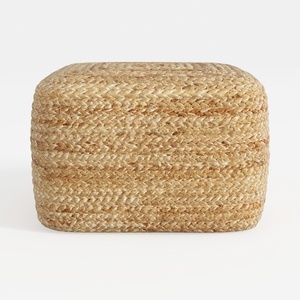
Natural Rattan Woven Square Ottoman 3D Model

Modern Marble Top Fluted White Solid Wood Round Coffee Table 3D Model


Discover the creativity of Homestyler, the ultimate online home design platform! With its user-friendly design tool, stunning 3D renderings, and a wealth of design projects and DIY video tutorials, you can effortlessly transform your home ideas into reality. Start designing today!
Design Now for FREE
































