


Building a 3D representation of a food pyramid offers an engaging way to learn about nutrition, whether you're a teacher illustrating key concepts or a student completing a project. This detailed guide will help you create a three-dimensional food pyramid that’s both educational and visually captivating using Homestyler for digital designs.
Begin by selecting your preferred materials, such as cardboard, foam board, or modeling clay for physical models, or opt for digital platforms. For tangible projects, cardboard and foam board are durable and easy to manipulate, while tools like Homestyler, SketchUp, or Blender are excellent for crafting precise digital presentations.
Next, design the structure of the pyramid. Segment it into multiple layers: grains should be at the bottom, followed by fruits and vegetables, proteins, dairy, and healthy fats on top. Ensure to measure and cut each layer according to the correct nutritional proportions. Clearly mark each section for easy comprehension.
Embellish each layer with corresponding food representations. You can utilize colored paper, printed images, or modeling clay to symbolize varied food items. It’s beneficial to incorporate labels; write the name of each food group along with daily servings recommendations on each tier. This hands-on method significantly boosts understanding, particularly for visual learners.
The creation process extends beyond simple assembly. As a designer, I emphasize clarity and visual appeal to enhance the project’s effect. Use color coding to distinguish food groups, apply clear labels, and place the model on a neutral backdrop for optimal visibility. For digital presentations, features like rotation and zoom available in Homestyler can offer interactive exploration, making your model more engaging and educational.
Tip 1:
Always consult the latest dietary guidelines, from organizations such as the USDA or WHO, before undertaking your model construction. Nutritional science changes frequently, and keeping abreast of these updates ensures your educational resources are both accurate and timely.
FAQ
Q: Which materials are optimal for constructing a physical 3D food pyramid model?
A: Popular choices include cardboard, foam board, modeling clay, and paper, all of which are easy to shape and resilient enough for classroom environments.
Q: How should I categorize the pyramid layers to accurately depict food groups?
A: Refer to established nutrition guidelines; typically, grains sit at the base, then come fruits and vegetables, followed by proteins, dairy, and healthy fats.
Q: What digital applications can assist me in creating a 3D food pyramid?
A: Tools like Blender, SketchUp, or Homestyler are great options that allow the construction of interactive and precise models.
Q: What can I do to make my 3D food pyramid model visually captivating?
A: Opt for bright colors, clear labeling, and distinct organization of sections; maintaining accurate proportions enhances both authenticity and educational impact.
Q: Is it possible to incorporate images or graphics into my pyramid model?
A: Absolutely, including images or graphics can aid students in swiftly recognizing food categories, making the model more interesting and informative.

Minimalist Fluted Solid Wood 6 Drawer Dresser 3D Model
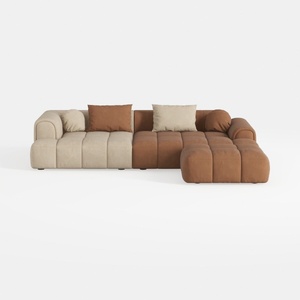
Modern Velvet Sectional Sofa, U Shape Minimalist M
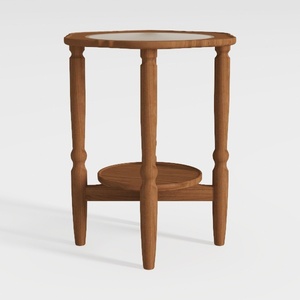

Minimalist Solid Wood Marble Top Round Side Table 3D Model
Discover Homestyler, the ultimate online home design platform! It features an easy-to-use design tool, stunning 3D renderings, a collection of design projects, and helpful DIY video tutorials. Transform your space effortlessly and unleash your creativity today!
立即免费设计
































