


Direct Answer
The performance of loading 3D models varies significantly depending on the file format used because the file structure impacts how efficiently a runtime engine can interpret geometry, textures, and accompanying metadata. Binary file types such as glTF or FBX generally offer faster load times compared to text-based formats like OBJ, since they require less intensive parsing and more efficient memory allocation. In real-time applications, choosing the correct 3D file format can greatly influence initialization speed, streaming fluidity, and overall memory consumption.
Quick Takeaways
Introduction
When dealing with projects sensitive to performance, understanding the role of different 3D file formats in model loading times is essential. Having worked on architectural visualizations, interactive real-time demos, and browser-based 3D scene viewers, I've observed that even slight delays in model loading can lead to users quickly losing interest and leaving the platform.
While many focus on polygon count or texture detail, the underlying file format can silently become the main bottleneck. Formats with inefficient structures cause the CPU to expend excessive effort parsing textual data, rebuilding buffers, and managing memory allocation in suboptimal ways.
I encountered this challenge first-hand when optimizing a real-time architectural navigation tool loading hundreds of furniture models. Although the assets themselves were light, the application’s startup was sluggish. The issue was traced back to OBJ files that required heavy text parsing before converting into GPU-friendly meshes.
Modern visualization workflows increasingly incorporate tools automating spatial design and asset presentation. If you're curious about how structured model data enhances workflow efficiency, examine how interactive 3D floor planning platforms enable detailed spatial layout creation. These same data structuring principles that accelerate layout tools also contribute significantly to optimizing asset loading performance.
This article will delve into why certain file formats markedly improve loading speeds, uncover hidden costs often disregarded by developers, and provide guidance on selecting the ideal format for performance-critical environments.
Overview of Popular 3D Model Formats
Key Insight: Popular 3D formats were originally designed with distinct purposes, and many were never optimized for real-time performance.
When evaluating the fastest 3D model format for loading times, it’s important to consider their diverse origins. Some formats were meant for exchanging data between design tools, whereas others focus on efficient runtime delivery.
Common formats in production pipelines include:
glTF, often dubbed the “JPEG of 3D,” as designated by the Khronos Group, is engineered specifically to enable efficient transmission and rendering of 3D scenes in runtime environments. Unlike older formats, glTF separates buffers, textures, and scene graph information, fitting seamlessly with modern GPU pipelines.
This architectural choice explains why glTF often outperforms OBJ in loading speed benchmarks.
Binary Formats Versus Text Formats in Runtime Efficiency
Key Insight: Binary file formats generally provide faster load times by eliminating costly string parsing and minimizing memory transformations.
One significant performance distinction is whether model data is encoded as human-readable text or compact binary data.
Text formats like OBJ store vertex information as strings:
In contrast, binary formats hold raw numeric data directly accessible in memory without conversion.
Real-world performance comparisons reveal:
Game engines such as Unreal Engine and Unity convert imported models internally into optimized binary formats to maximize runtime efficiency. Even if a model is originally in OBJ or FBX, the engine serializes it into a binary asset for delivery.
How Format Architecture Influences Deserialization Overhead
Key Insight: File formats with complex or unstructured data layouts increase the time needed to deserialize models for runtime use.
Loading a 3D model isn't limited to file reading; the runtime environment must reconstruct the full scene:
Different formats vary in how directly they map file data to runtime representations.
For instance:
The greater the required data transformation between the on-disk format and the runtime structure, the longer deserialization takes.
Therefore, many engines rely on preprocessed asset bundles. In platforms handling vast numbers of objects per scene, well-optimized asset packaging significantly reduces loading times. This concept connects closely with AI-assisted interior scene generation platforms, where structured data accelerates rendering and interactive updates.
Strategies for Optimizing Model Loading in Real-Time Applications
Key Insight: Utilizing the fastest 3D format alone cannot guarantee optimal performance without addressing all aspects of the asset loading pipeline.
From experience, teams switching formats hoping for major speed gains sometimes see minimal improvement. This is because the file format represents just one segment of a multi-step process.
To effectively reduce 3D loading times, a combination of optimizations should be applied:
A frequent oversight is the overhead caused by many small files; hundreds of tiny assets typically result in poorer loading performance than a single, consolidated file bundle due to repeated disk I/O and parsing.
Compression and Streaming Approaches for 3D Assets
Key Insight: Compression can decrease loading times more than merely reducing geometry complexity by minimizing bandwidth demands and enhancing streaming behavior.
Modern 3D asset delivery pipelines infrequently rely solely on raw file formats. Instead, they synergize formats with compression systems tailored for real-time usage.
Common methods include:
The glTF ecosystem by Khronos extensively supports these techniques, contributing to its popularity in web-based 3D viewers.
Streaming architecture is critical in interactive environments. Large-scale visualization tools delivering complete building models often implement progressive geometric streaming rather than loading everything at once. Solutions powering photorealistic home renderings from interactive 3D scenes depend heavily on streamlined, optimized data flows to maintain smooth user navigation — a domain where platforms like Homestyler excel by leveraging such efficient streaming pipelines.
Selecting the Optimal Format for Performance-Critical Projects
Key Insight: The ideal 3D format varies based on runtime requirements, asset intricacy, and deployment targets.
In performance-focused scenarios, I evaluate three tangible criteria beyond just file size when choosing a format.
Important considerations include:
Frequently recommended formats involve:
Answer Box
The choice of a 3D model file format directly impacts loading efficiency because it dictates parsing demands, memory layout, and GPU compatibility. Generally, binary formats such as GLB load faster than textual formats like OBJ, especially within real-time rendering contexts.
Final Summary
FAQ
Which 3D file format loads the fastest?
Binary formats like GLB usually provide the fastest load times by avoiding extensive text parsing and offering direct GPU buffer compatibility.
Is glTF faster than OBJ for model loading?
Yes, glTF commonly loads quicker because it stores model data as structured binary instead of text vertex lists.
Why do text-based 3D formats load slower?
Because they require converting text strings into numeric data during loading, increasing CPU workload and memory allocation overhead.
Does smaller file size always mean faster loading?
Not necessarily. The complexity of parsing and memory organization often affects performance more significantly than just raw file size.
What is the recommended format for web-based 3D viewing?
glTF or GLB is widely preferred due to its support for compression, streaming, and GPU-optimized data layouts.
How can I reduce 3D model loading times?
By adopting binary formats, applying mesh compression, merging small assets, and preprocessing models into engine-specific bundles.
Do game engines convert 3D formats internally?
Yes, engines like Unity and Unreal automatically convert imported models into optimized binary formats for runtime.
Does compression impact 3D file format performance?
Absolutely. Techniques such as Draco or Meshopt significantly reduce bandwidth consumption and enhance streaming speed during model loading.
References

Minimalist Black Solid Wood Oval Coffee Table With Storage 3D Model
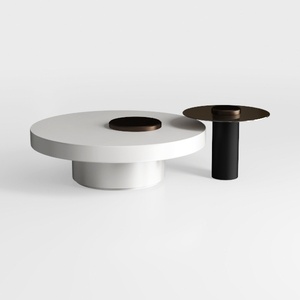

Modern Black Metal Solid Wood Dual Tray Coffee Table 3D Model
Homestyler offers an easy-to-use online design tool with stunning 3D renderings, inspiring interior projects, and helpful DIY video tutorials. It’s perfect for anyone looking to create and visualize beautiful home designs effortlessly. Give your space a fresh look today!
立即免费设计
































